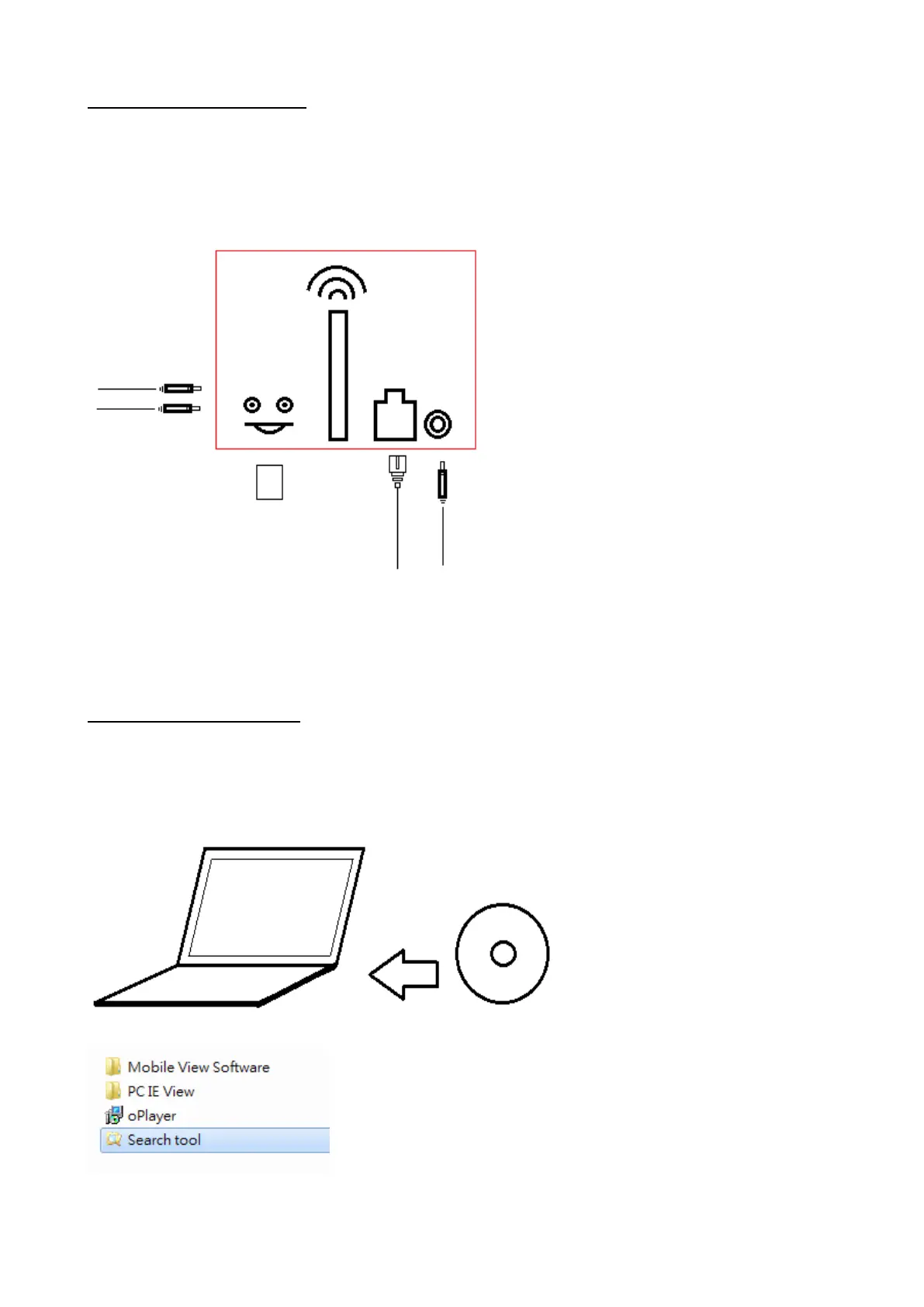
1.5 Hardware Installation
a) Connect power adapter
b) Connect the Ethernet cable
c) Install Micro SD card
d) Connect audio in/ out device if any
It takes approximately 30 seconds to boot up the camera, automatically get an IP address
and connect to Internet. Note that the green LED light (rear side of the device) should be
lighten, while the orange light keeps flashing.
1.6 Software Installation
a) Put the Installation CD in your computer (fig. 1.6-1)
b) Click on [Search Tool] icon and it will run automatically (fig. 1.6-2)
(No need to install, just copy software to the desktop)
fig.1.6-1
fig. 1.6-2


 To Next Page