INSTALLATION
19
5. To exit the SETUP menu, press the SETUP button on the remote control.
Determine Your Display Type
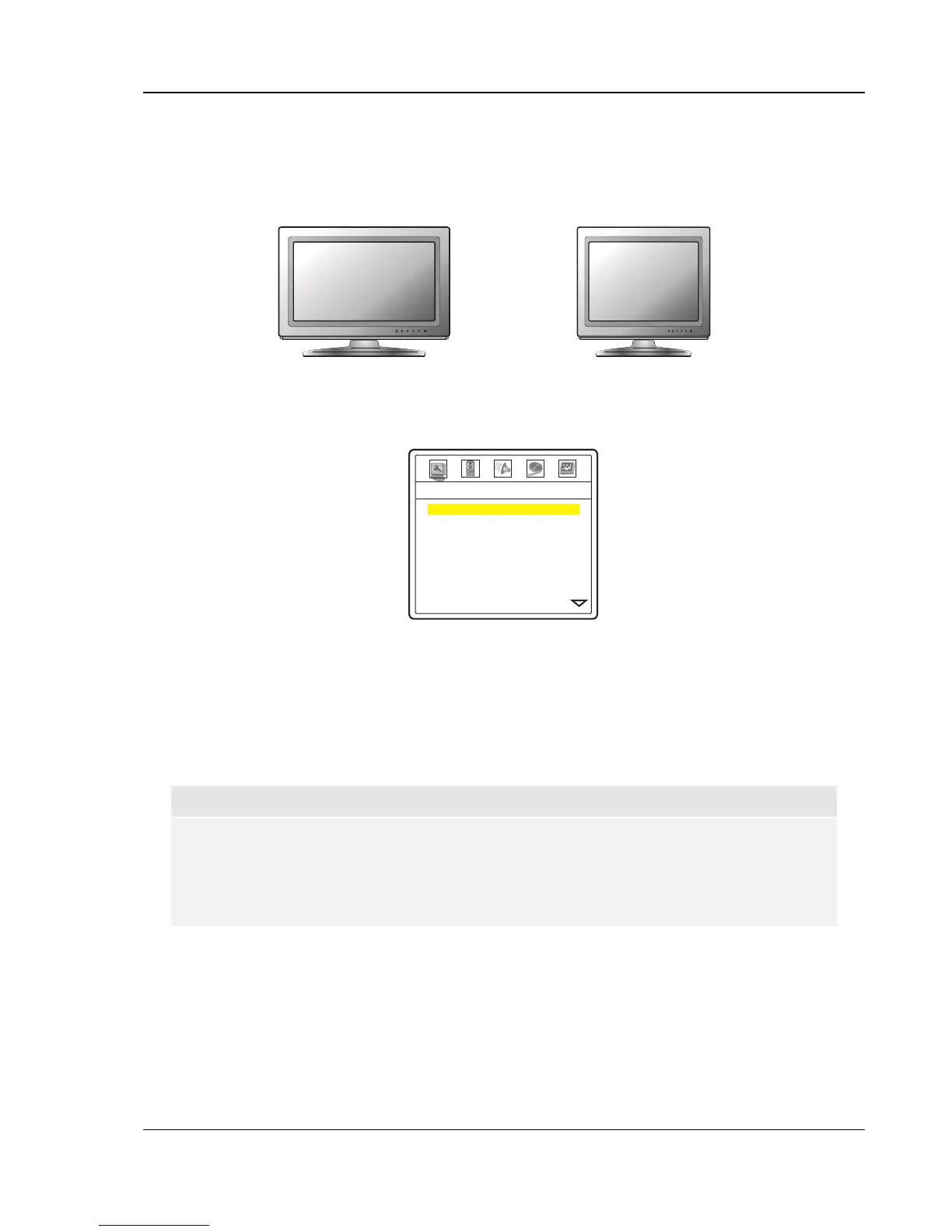
Widescreen, or 16:9 TV
Standard Definition, or 4:3 TV
For best performance, your OPPO DVD player must be correctly configured for playback even before the first
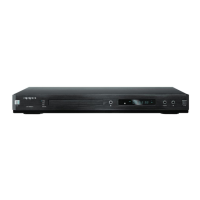
disc is inserted. This is done under General Setup Page > TV Display in the Setup Menu.
-- General Setup Page --
16:9 Wide
On
Default
On
Normal
Off
Multi-Channel
DVD-Audio
TV Display
Screen Saver
Background
Dimmer Control
OSD Mode
Angle Mark
SACD Priority
DVD-Audio Mode
If you have a widescreen (16:9) display as pictured on the left, select one of these options:
• 16:9 Wide – 16:9 (widescreen) sources will be displayed in their native aspect ratio, and 4:3
sources will be stretched.
• 16:9 Wide/Auto – 16:9 (widescreen) as well as 4:3 sources will be displayed in their native
aspect ratio. Please note that in this mode 4:3 sources will be displayed with black borders on
both sides to maintain the correct 4:3 aspect ratio.
NOTE
If you are using a plasma or widescreen CRT display you will want to avoid leaving black
bars on the screen for any length of time as you may encounter temporary burn-in where the
display retains memory of the “used” part of screen and the unused (black bar) portions are
clearly defined on the screen during subsequent viewing sessions. The “16:9 Wide” mode is
the best choice for these types of displays.
If you have a 4:3 or standard definition screen as pictured on the right, select one of these options:
• 4:3 Pan/Scan – 4:3 TV Pan and Scan. Choose when the display is 4:3. Both sides of a
widescreen image are clipped (you lose about 30% of the picture).
• 4:3 Letterbox – 4:3 TV Letterbox. Choose when the display is 4:3. Widescreen image is
displayed in “letterbox” format with black borders on top and bottom (preferred).


 To Next Page