ADVANCED OPERATIONS
33
SACD discs
Insert disc. After the player begins reading the disc, enter the track number directly and press the
SELECT button to select the track for playback.
Playback from a Specific Location
DVD-A
DVD discs
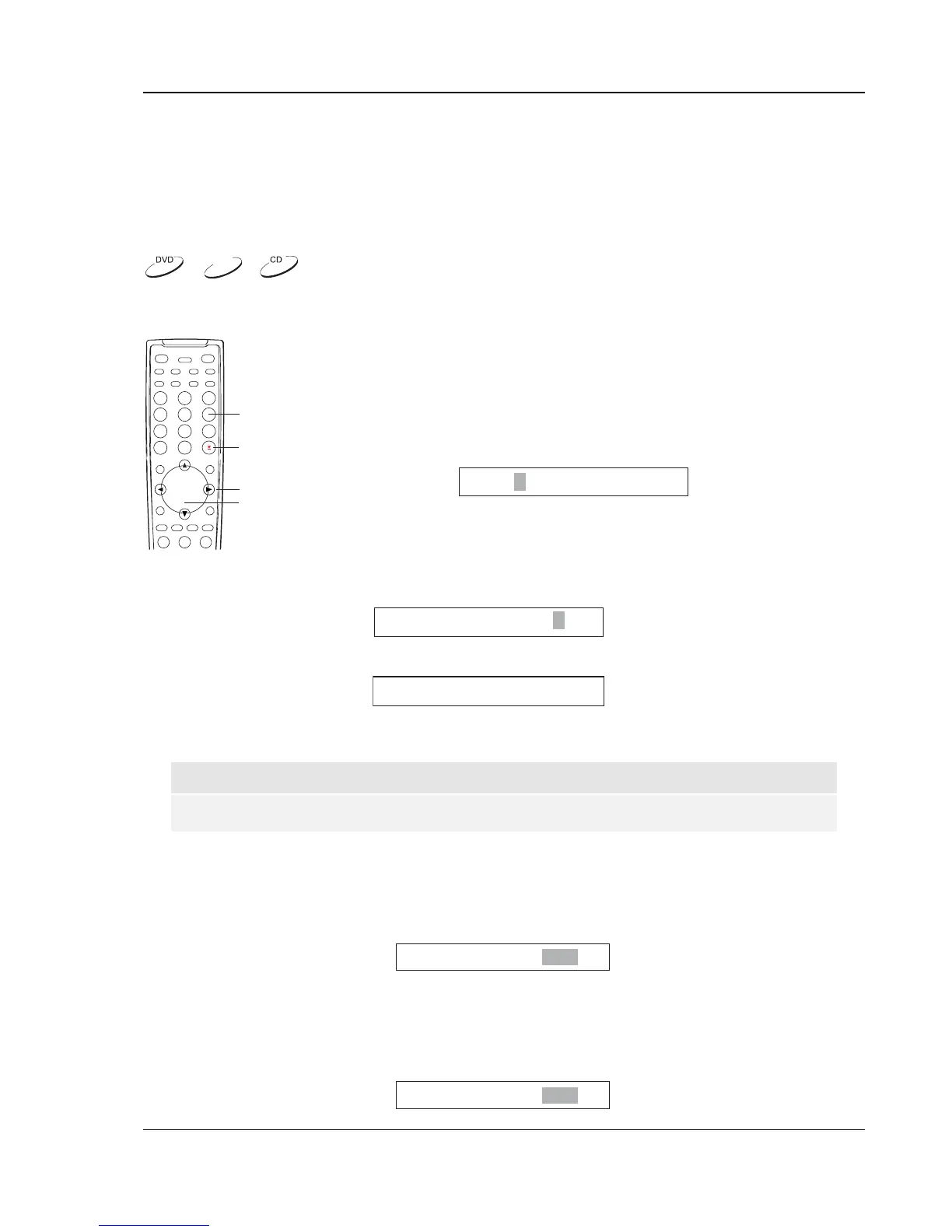
NUMBERS
ARROW
SELECT
GOTO
You may specify a point to start playback by entering the title, chapter or time
directly.
1. Title and chapter search. For example, search for Title 6, Chapter 2:
• Press the GOTO button on the remote, and the TV screen
displays:
Title /30 Chapter 00/00
(You may need to use the ARROW buttons to move the cursor to the “Title”
location.)
• Enter the title number 6. The cursor moves to the “Chapter” location and the TV screen
displays:
Title 06/30 Chapter /02
• Enter the chapter number 2. The TV screen displays:
Title 06/30 Chapter 02/02
• Playback starts from the specified title and chapter.
NOTE
To enter a number greater than 9, use the +10 button.
2. Title time search. For example, search for a specified elapsed time within the currently playing
title.
• Repeatedly press the GOTO button until the TV screen displays the following picture. Use
the NUMBER buttons to enter the HOUR, MINUTE and SECOND.
Title 06/30 Time: -:--:--
3. Chapter time search. For example, search for a specified elapsed time within the currently
playing chapter.
• Repeatedly press the GOTO button until the TV screen displays the following picture. Use
the NUMBER buttons to enter the HOUR, MINUTE and SECOND.
Chapter 02/02 Time: -:--:--


 To Next Page