20
HEADSET FUNCTIONS
Headset Functions:
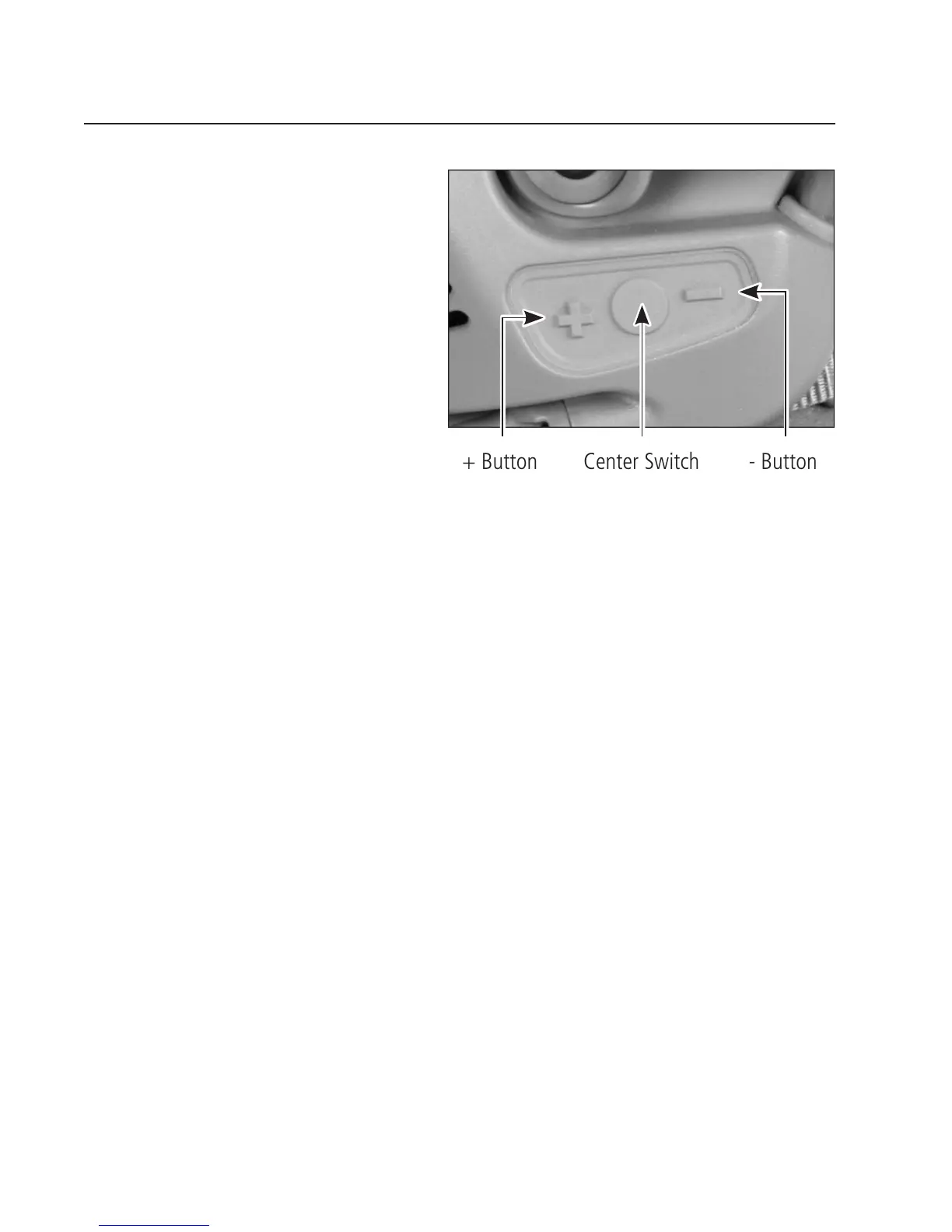
Headset functions include Hear-Through
3DHT mode and balance mode, which
you can control via the + and – buttons.
You can also toggle the audio between
earphones and earbuds via the center
switch (with wireless earbuds only).
Hear-Through 3D Hearing Technology (3DHT) Mode
The Hear-Through 3D Hearing Technology (3DHT) function broadcasts ambient sounds through the
earcups for increased situational awareness. The radio/intercom communications function continues
with hear-through turned on or off.
To turn Hear-Through 3DHT ON: Press and hold the + and – buttons together once. The headset
emits three ascending tones, and the hear-through function activates.
To turn Hear-Through 3DHT OFF: Press and hold the + and – buttons together for two seconds.
The headset emits three descending tones, and the hear-through function ceases.
To increase Hear-Through 3DHT volume: Press the + button one or more times. The headset emits
a short tone that gets louder as the volume increases.
To decrease Hear-Through 3DHT volume: Press the – button one or more times. The headset
emits a long tone that gets softer as the volume decreases.
NOTE: After two hours of Hear-Through 3DHT ON operation without any button
presses, the headset emits a shutoff tone, and Hear-Through 3DHT function ceases. To
reset the two-hour counter during the shutoff tone, press the + or – button. Otherwise,
press the + and – buttons together once to return to Hear-Through 3DHT mode.
Center Switch+ Button - Button


 To Next Page