Opti-Sciences, Inc. CCM-200 plus operator's manual
Open a terminal emulation program, such as Hyperterminal (included with most installations of
Windows).
Communication Settings
Data is sent in an ASCII text format with carriage returns separating each point. The default host
settings are 9600 baud, 8 bit, 1 stop bit, no parity, and no handshaking. This mode is ignored if
no data has been saved to memory yet.
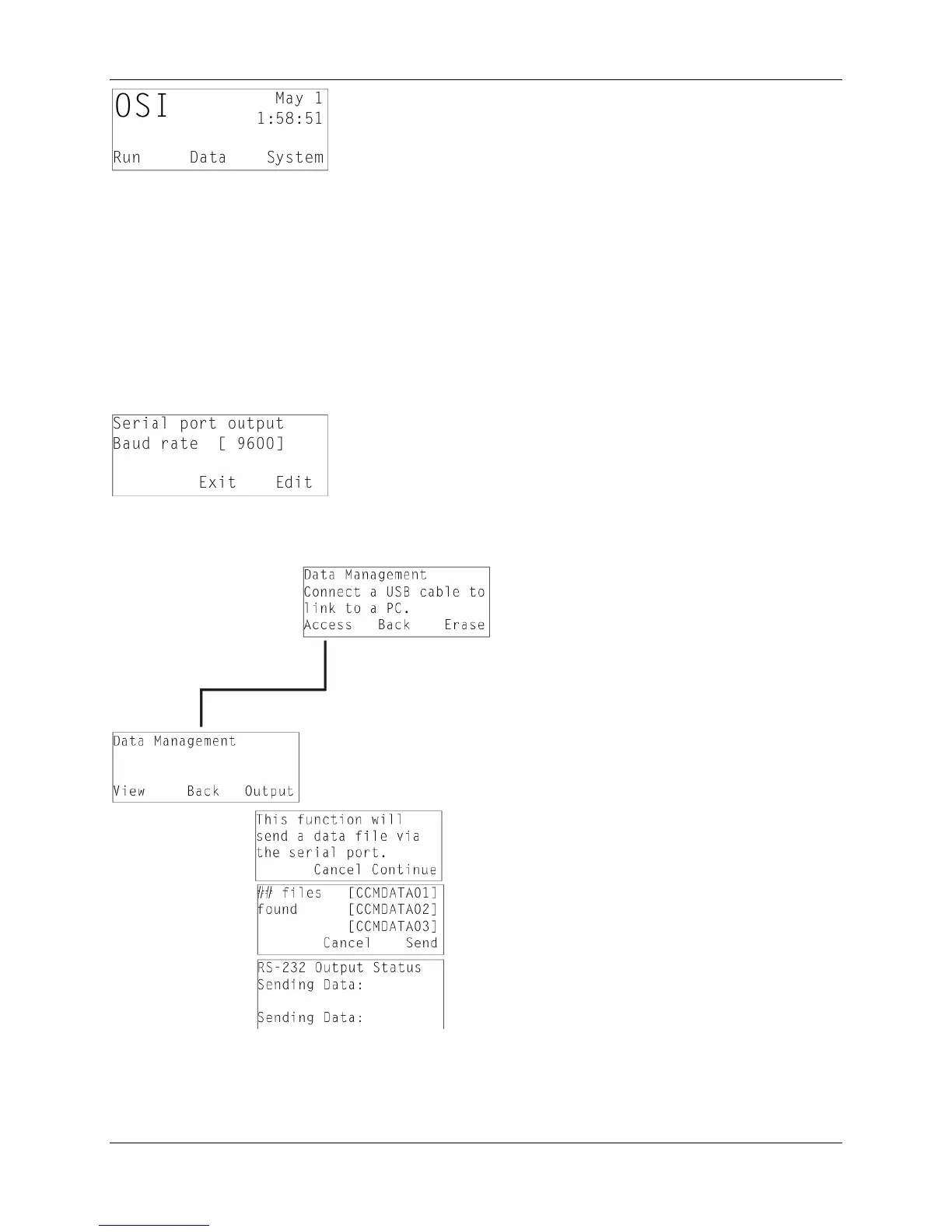
Baud rates for the Serial port may be changed by going to the main test screen and pressing
system. Next press Setup, and scroll down to Serial Port Baud rate with the arrow keys. Press
Edit, and scroll through the values until the correct setting is found.
To initiate the data transfer, press Access and then Output
Select the file you want to send, and press Send. A status screen will display during the transfer.
15



 To Next Page