Opti-Sciences, Inc. CCM-200 plus operator's manual
Measurements
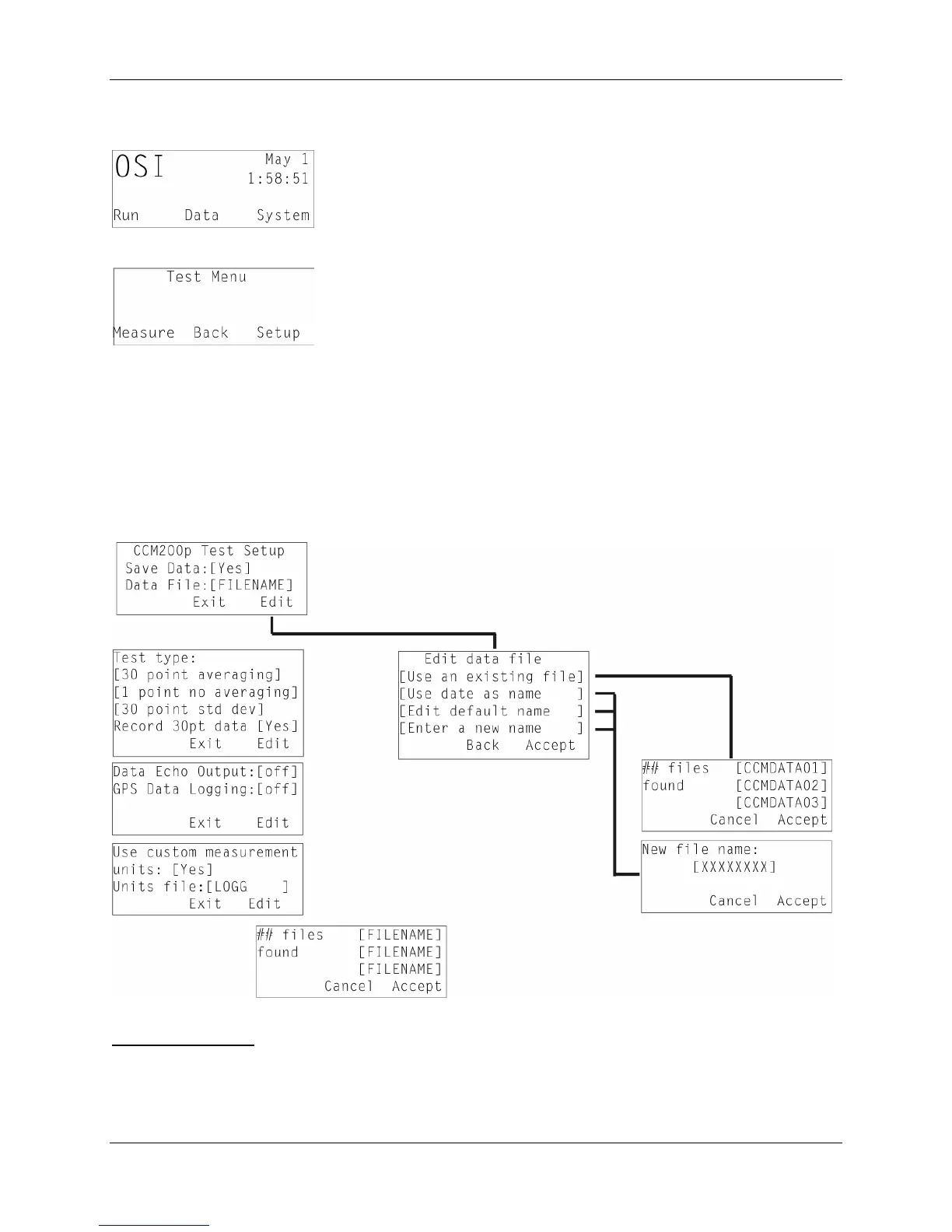
Turn on the instrument. After a few seconds, the main menu screen appears.
Press the Run button.
Before measuring, use setup to select the correct parameters and test type.
Setup
Use the arrow keys to scroll through the options.
When the option of interest is displayed, select the edit button.
A cursor will appear. Use the arrow keys to highlight your selection.
Press the exit button when finished.
File name creation
To create a new file name, select edit from the "CCM200p Test Setup" screen. Use the right
arrow to select the Data File. The File name manager screen will appear. "Use an existing file”
will be highlighted. Use the up/down arrows to scroll through the options until “Enter a new
name” is displayed. Press accept. The new file name screen will appear. Use the up/down arrows
8



 To Next Page