EasyManua.ls Logo

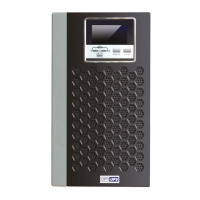
OPTI-UPS Power Series - User Manual

Default Icon
28 pages
Print Icon
To Next Page IconTo Next Page
Loading...
User Guide
Power Series
Models PS1000B, PS1500B, PS2200B, PS3000B
PS1000B-RM, PS1500B-RM, PS2200B-RM,
PS3000B-RM

Questions and Answers

Summary

For Your Records

Limited Warranty

What the Warranty Covers

Details what the product warranty includes regarding defects in material and workmanship.

Warranty Effectiveness Period

Information on how long the warranty is valid and how to ascertain the exact period.

Who the Warranty Protects

Specifies that the warranty is valid only for the first consumer purchaser.

What the Warranty Does Not Cover

Lists conditions and damages, such as misuse or unauthorized repair, not covered by the warranty.

Implied Warranty Limitations

Explains limitations on implied warranties like merchantability and fitness for a particular purpose.

Damages Exclusion

Outlines damages, including consequential or incidental losses, that the manufacturer is not liable for.

Effect of State Law

Notes how state laws may affect warranty rights and limitations on implied warranties or damages.

Australian Warranty Limitations

Specific warranty conditions for Australian states and territories, referencing relevant Acts.

Life Support Disclaimer

Advises against using UPS products for life support equipment due to potential failure risks.

Important Safety Instructions

General Safety Precautions

Essential safety guidelines and warnings for operating the UPS, including battery handling.

Electrical Hazard Warnings

Details potential electrical hazards from UPS voltages and necessary precautions during operation and maintenance.

Introduction

Overview

General description of the UPS's purpose and function in protecting sensitive equipment.

Sinewave Output

Explains the true sinewave output waveform for guaranteed compatibility with all types of loads.

Smart Buck and Boost Line Conditioning

Describes voltage regulation features to stabilize power by stepping voltage up or down as needed.

User Replaceable Battery Design

Highlights the ease of battery replacement for extended UPS life and significant savings.

Advanced Interface to Communicate with Computer

Details PC communication capabilities for monitoring operating information and analyzing power problems.

Schedule Shutdown & Startup

Explains software control for automated UPS operations, including shutdown and startup schedules.

Data-Line Surge Protection

Describes protection for network and phone lines against hazardous spikes and surges.

UPS Controls

External Views

Illustrates the front and rear panels of different UPS models, showing ports and buttons.

On Button Operation

Instructions for turning the UPS on and performing self-tests by pressing the On Button.

Off Button Operation

Steps for shutting down the UPS into sleep or off states using the Off Button.

Select Button Functionality

Explains how to cycle through and view UPS parameters like voltage, frequency, and load.

Load Percentage Bar Graph

Displays the current power load percentage of the UPS on the front panel LCD.

Battery Capacity Bar Graph

Shows the remaining battery charge percentage on the front panel LCD.

Fault Code Indicators

Lists and explains fault codes (Err0, Err1) indicating UPS issues like overload.

Status Indicators Explained

Details the meaning of various LED indicators (LINE, BY PASS, INV, BACKUP, FAULT) on the UPS.

Communication Port Usage

Describes the port for connecting to a computer to monitor UPS status and analyze power problems.

Start-Up On Battery Mode

How to power equipment using the UPS battery without AC input power.

Data-Line Surge Suppression Ports

Explains the RJ45/RJ11 ports on the rear panel for protecting network and phone lines.

Installation and Operation

Unpacking and Inspection

Steps for checking the UPS upon arrival, inspecting the carton, and notifying carriers of damage.

UPS Placement Guidelines

Recommendations for suitable indoor locations, avoiding heat sources, moisture, and ensuring ventilation.

Determining Equipment Capacity

Guide to calculating the total VA requirement for connected devices by summing individual ratings.

Powering Up Your UPS

Instructions for initial connection to a grounded receptacle and powering on the UPS.

Connecting Equipment to UPS

How to connect devices to the UPS output receptacles and switch on computer equipment.

Operation and Functional Testing

Procedures for running the UPS, performing functional tests, and checking backup operation.

Storage Instructions

Guidance on battery charging for long-term storage, recommending periodic charges.

Specifications

Electrical Specifications

Detailed electrical ratings, voltage, frequency, and VA/W capacity for all UPS models.

Mechanical Specifications

Physical dimensions (WxLxH) and weight (Net/Shipping) for various UPS models.

Environmental Specifications

Operating and storage conditions for temperature, humidity, and altitude.

Troubleshooting

Troubleshooting Chart

A guide to common problems, their possible causes, and corrective actions for UPS issues.

User Replaceable Battery

Battery Servicing Warnings

Critical safety precautions and warnings before handling UPS batteries, including shock and chemical hazards.

Battery Replacement Procedure

Step-by-step instructions for safely replacing the UPS battery on different models.

OPTI-UPS Power Series Specifications

General IconGeneral
CategoryUPS
Output Voltage120V
Output Frequency60 Hz
Input Voltage120V
Input Frequency60 Hz
Frequency60 Hz
Battery TypeSealed Lead Acid
Backup Time5 min

Related product manuals