To Next Page
H
hgonzalezAug 5, 2025
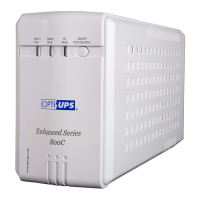
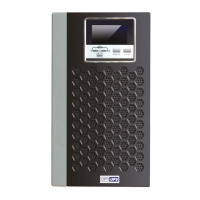
What surge protection does OPTI-UPS ES800C provide?
- HHoward MedinaAug 5, 2025
The OPTI-UPS UPS features built-in data-line surge suppression on the rear panel to provide comprehensive system protection.

What surge protection does OPTI-UPS ES800C provide?
The OPTI-UPS UPS features built-in data-line surge suppression on the rear panel to provide comprehensive system protection.
Why OPTI-UPS ES800C UPS has user replaceable battery?
The special user-replaceable battery design of this OPTI-UPS UPS offers considerable cost savings and extends the UPS's lifespan almost indefinitely.
Details what the product warranty includes regarding defects in material and workmanship.
Explains how long the warranty is effective and who it protects.
Lists conditions and damages not covered by the product warranty, including misuse and unauthorized repair.
States that express or implied warranties, including merchantability and fitness for a particular purpose, are limited.
Defines liabilities limited to repair/replacement cost and excludes consequential or incidental damages.
Notes that state laws may affect warranty rights regarding implied warranties and consequential damages.
Outlines warranty limitations under Australian consumer law, allowing exclusion of implied warranties.
Contains essential safety instructions and precautions for handling and using the UPS.
Highlights risks associated with batteries, including shock, burns, fire, and explosion from vented gases.
Warns about hazardous voltages within the UPS and the need for qualified service personnel for repairs.
Provides detailed precautions for safe UPS operation, including placement and connection requirements.
States the equipment complies with FCC limits for Class B digital devices to prevent harmful interference.
Confirms the equipment does not exceed Class B limits for radio noise emissions according to Canadian regulations.
Introduces the UPS models as line-interactive sinewave systems designed to protect sensitive equipment from power disturbances.
Explains the UPS's ability to automatically detect and match the incoming line frequency (50 or 60 Hz).
Describes how the UPS regulates voltage fluctuations using buck and boost functions to maintain a stable output.
Highlights the user-friendly design allowing easy battery replacement without powering down the UPS or connected equipment.
Details the advanced interface for communicating with a computer to monitor UPS status and power problems.
Explains the feature to control equipment shutdown and startup schedules via software, locally or remotely.
Mentions the built-in surge suppression for network or modem connections to protect against spikes.
Illustrates and describes the front panel controls and indicators for different UPS models.
Shows the rear panel connections and outlets for the ES550C/ES800C models.
Displays the rear panel configurations for ES1000C and ES1500C models, including various outlets and ports.
Shows the rear panel layouts for the rackmount ES1000C-RM and ES1500C-RM models.
Details the four functions of the On/Off/Test/Silence button for controlling the UPS and silencing alarms.
Explains the different audible alarms for backup mode, low battery, and overload conditions.
Describes the meaning of the Green, Yellow, and Red LEDs on the front panel for ES550C and ES800C models.
Explains the LED indicators (AC Mode, Boost, Battery Mode, Buck, Battery Fault) for the ES1000C series UPS models.
Describes the rear panel communication port for connecting to a host computer for monitoring and control.
Explains the function of the data-line surge suppression for network and modem protection.
Details the AC input connection, circuit breaker, and the different types of output outlets (Bypass and UPS).
Guides users on examining the UPS and its accessories upon unpacking and reporting any damage.
Provides instructions on where to install the UPS, emphasizing indoor use, protected environment, and adequate ventilation.
Explains how to calculate the total VA requirements of connected equipment to ensure UPS compatibility.
Instructs on connecting the UPS to a power source and initiating the power-up sequence.
Details the procedure for connecting computer equipment to the UPS output receptacles for various models.
Guides users on performing functional tests, including checking overload conditions and battery backup functionality.
Provides recommendations for charging the battery during extended storage periods to maintain its health.
Lists detailed electrical parameters such as product name, frequency, rated voltage, VA/W capacity, and input/output voltage range.
Provides specifications for spike/surge protection levels and details audible alarm types and frequencies.
Outlines battery specifications (DC voltage, type, quantity) and charger recharge times for different UPS models.
Lists the physical dimensions (L x W x H) and weights (Net and Shipping) for each UPS model.
Details the operating and storage conditions for temperature, humidity, and altitude.
Provides a chart with common UPS problems, their possible causes, and corrective actions.
Emphasizes safety precautions for battery servicing and warns against user-serviceable parts other than the battery.
Provides step-by-step instructions with illustrations for replacing the battery in ES550C and ES800C models.
Details the procedure for replacing the battery in ES1000C and ES1500C UPS models, including front panel removal.
Outlines the steps for replacing the battery in the rackmount ES1000C-RM and ES1500C-RM models.
Explains how to replace the fuse in ES550C and ES800C models using a slotted screwdriver.
 General
| VA Rating | 800 VA |
|---|---|
| Wattage | 480 W |
| Output Frequency | 60 Hz |
| Communication Port | USB |
| Output Voltage | 120 VAC |
| Transfer Time | 4 ms typical |
| Battery Type | Sealed Lead Acid |
| Battery Recharge Time | 6 hours to 90% capacity |
| Battery Backup Time | Varies by load |
| Operating Temperature | 0°C to 40°C |
| Storage Temperature | -15°C to 45°C |
| Humidity | 0% to 95% non-condensing |
| Outlets | NEMA 5-15R |
| Data Line Protection | RJ-45 |