EasyManua.ls Logo

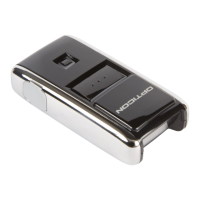
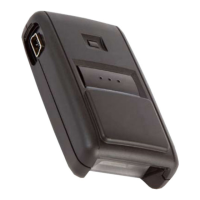
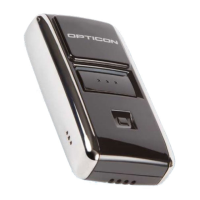
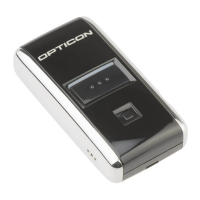
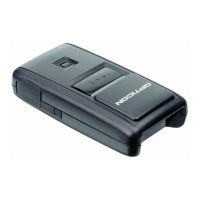
Opticon OPN2004 - User Manual

Opticon OPN2004
23 pages
Print Icon
To Next Page IconTo Next Page
Loading...
1
OPN2004/5/6 and PX20
Batch demo application
Version RFI3793B (OPN2004/5/6) / RFM3793B (PX20)
November 11, 2014
Opticon Sensors Europe BV
Opticon, Inc.

Other manuals for Opticon OPN2004

Questions and Answers

  • K
    Katherine WilliamsonAug 6, 2025
    What to do if my Opticon Barcode Reader application won't halt?
    • L
      lroseAug 6, 2025
      If you are unable to halt your application, ensure that the battery isn't empty and that the mini-USB cable is not connected to the OPN. Alternatively, restart your application while keeping the trigger key pressed, using one of the two restart methods. As another option, while keeping the trigger key pressed, insert the mini-USB cable into the OPN to halt the application.
  • A
    Alyssa GarciaAug 10, 2025
    How to fix an Opticon OPN2004 that keeps crashing?
    • A
      Alejandro CopelandAug 10, 2025
      If your OPN200x has crashed or is constantly restarting, manually restart it by pressing and holding the trigger or delete key for at least 20 seconds.
  • N
    Nicholas BranchAug 14, 2025
    How to restart Opticon OPN2004 when application crashes?
    • C
      conniecarneyAug 15, 2025
      To restart your Opticon Barcode Reader when the application crashes and prevents loading new software, press and hold the trigger or delete key for at least 20 seconds.
  • B
    brandyandersonAug 19, 2025
    What to do if my Opticon OPN2004 Operating System won't halt?
    • C
      Christina CooperAug 19, 2025
      If you are unable to halt the Operating System, ensure that the battery isn't empty and that the mini-USB cable is not connected to the OPN. You can also try restarting your application while keeping the delete key pressed, using one of the 2 methods. Another solution is to insert the mini-USB cable into the OPN while keeping the delete key pressed to halt the Operating system.
  • S
    Sarah Barnes MDAug 23, 2025
    What to do if the Opticon Barcode Reader application has crashed?
    • E
      Eric SalasAug 23, 2025
      If the application has crashed, press and hold both the trigger and delete key for at least 20 seconds. After the barcode reader has sounded a short beep, release both keys to complete the restart.
  • S
    Scott HernandezAug 27, 2025
    What to do if the Opticon OPN2004 OS has crashed?
    • U
      ukimAug 27, 2025
      If the OS has crashed, the watchdog will cause the device to restart after about 1 second.
  • C
    christensenaaronSep 1, 2025
    How to halt the operating system on Opticon Barcode Reader?
    • M
      michael26Sep 1, 2025
      To halt the operating system on your Opticon Barcode Reader, keep the delete key pressed while inserting the mini-USB cable into the OPN.

Opticon OPN2004 Specifications

General IconGeneral
Scan Rate100 scans per second
Scanning MethodLaser
Storage Temperature-20°C to 60°C
ConnectivityBluetooth
Barcode Types1D
Weight60 grams
Resolution4 mil
InterfaceUSB, Bluetooth
Power SupplyRechargeable battery
Operating Temperature0°C to 40°C
Humidity5% to 85% (non-condensing)

Related product manuals