EasyManua.ls Logo

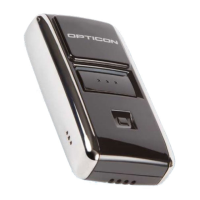
Opticon OPN2000 Series - User Manual

Opticon OPN2000 Series
8 pages
Print Icon
To Next Page IconTo Next Page
Loading...
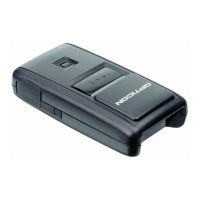
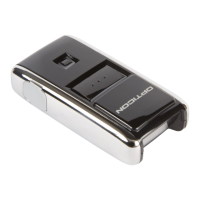
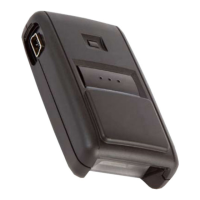
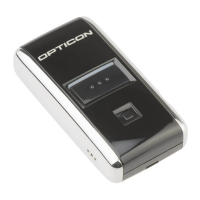
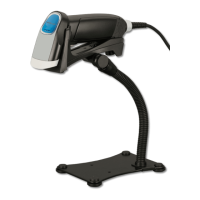
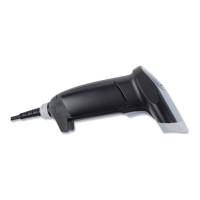
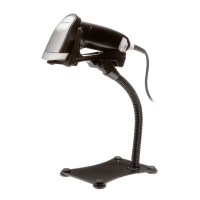
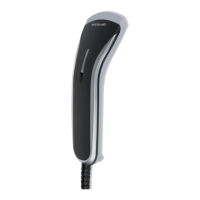
OPN2000 Series
Beyond Small. It’s Supreme.
Ideal tool for:
Healthcare
Market Research
Electronic Ordering
Real-time Reporting
Scan Communicate

Questions and Answers

  • G
    Gregg BeardAug 13, 2025
    What to do if my Opticon OPN2000 Barcode Reader application won't halt?
    • L
      Lisa GonzalesAug 13, 2025
      If you are unable to halt your application, ensure that the battery isn't empty and that the mini-USB cable is not connected to the OPN. Alternatively, restart your application while keeping the trigger key pressed, using one of the two restart methods. As another option, while keeping the trigger key pressed, insert the mini-USB cable into the OPN to halt the application.
  • J
    Joseph HeathAug 17, 2025
    How to fix an Opticon OPN2000 that keeps crashing?
    • D
      Debbie HawkinsAug 17, 2025
      If your OPN200x has crashed or is constantly restarting, manually restart it by pressing and holding the trigger or delete key for at least 20 seconds.
  • M
    Margaret DorseyAug 20, 2025
    How to restart Opticon Barcode Reader OPN200x if it does not load new software?
    • M
      Mrs. Melissa House MDAug 21, 2025
      If your Opticon Barcode Reader OPN200x is crashing and unable to load new software, manually restart it by pressing and holding the trigger or delete key for at least 20 seconds.
  • J
    Jacqueline Nichols DDSAug 25, 2025
    How to restart Opticon Barcode Reader when application crashes?
    • A
      Anthony RandolphAug 25, 2025
      To restart your Opticon Barcode Reader when the application crashes and prevents loading new software, press and hold the trigger or delete key for at least 20 seconds.
  • D
    Duane BrownAug 28, 2025
    What to do if my Opticon OPN2000 Operating System won't halt?
    • M
      mbrownAug 28, 2025
      If you are unable to halt the Operating System, ensure that the battery isn't empty and that the mini-USB cable is not connected to the OPN. You can also try restarting your application while keeping the delete key pressed, using one of the 2 methods. Another solution is to insert the mini-USB cable into the OPN while keeping the delete key pressed to halt the Operating system.
  • P
    pattersonkristenSep 1, 2025
    What to do if Opticon Barcode Reader OPN200x is unable to halt the application?
    • K
      kathleenwilliamsSep 1, 2025
      If your Opticon Barcode Reader OPN200x application won't halt, ensure the battery isn't empty and the mini-USB cable is disconnected. Then, restart the application while holding the trigger key and insert the mini-USB cable to halt the application.
  • M
    Matthew ThomasSep 4, 2025
    What to do if Opticon OPN2000 OPN200x is unable to halt the Operating System?
    • M
      mthompsonSep 4, 2025
      If your Opticon Barcode Reader OPN200x operating system won't halt, verify that the battery isn't empty and the mini-USB cable is disconnected. Next, restart the application while pressing the delete key and insert the mini-USB cable to halt the operating system.
  • M
    michelle51Sep 8, 2025
    How to halt the operating system on Opticon OPN2000 Barcode Reader?
    • E
      edavisSep 8, 2025
      To halt the operating system on your Opticon Barcode Reader, keep the delete key pressed while inserting the mini-USB cable into the OPN.

Opticon OPN2000 Series Specifications

General IconGeneral
BrandOpticon
ModelOPN2000 Series
CategoryBarcode Reader
LanguageEnglish

Related product manuals