EasyManua.ls Logo

Opticon OPN2002 - User Manual

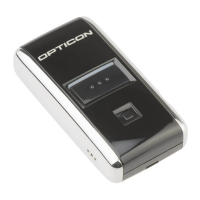
Opticon OPN2002
19 pages
Print Icon
To Next Page IconTo Next Page
Loading...
Opticon's Bluetooth guide
for connecting
Android devices
with the
OPN2002 & OPL2724

Other manuals for Opticon OPN2002

Questions and Answers

  • J
    Joshua SchultzAug 13, 2025
    What to do if my Opticon OPN2002 Barcode Reader application won't halt?
    • J
      Jessica EdwardsAug 13, 2025
      If you are unable to halt your application, ensure that the battery isn't empty and that the mini-USB cable is not connected to the OPN. Alternatively, restart your application while keeping the trigger key pressed, using one of the two restart methods. As another option, while keeping the trigger key pressed, insert the mini-USB cable into the OPN to halt the application.
  • L
    Lance LopezAug 17, 2025
    How to fix an Opticon OPN2002 Barcode Reader that keeps crashing?
    • S
      Stephanie JacksonAug 17, 2025
      If your OPN200x has crashed or is constantly restarting, manually restart it by pressing and holding the trigger or delete key for at least 20 seconds.
  • B
    Brad ThompsonAug 20, 2025
    How to restart Opticon OPN2002 OPN200x if it does not load new software?
    • J
      Joanna PayneAug 20, 2025
      If your Opticon Barcode Reader OPN200x is crashing and unable to load new software, manually restart it by pressing and holding the trigger or delete key for at least 20 seconds.
  • B
    brandonvazquezAug 25, 2025
    How to restart Opticon Barcode Reader when application crashes?
    • S
      smeltonAug 25, 2025
      To restart your Opticon Barcode Reader when the application crashes and prevents loading new software, press and hold the trigger or delete key for at least 20 seconds.
  • L
    Luke MartinAug 28, 2025
    What to do if my Opticon OPN2002 Operating System won't halt?
    • S
      Stephanie DuffyAug 28, 2025
      If you are unable to halt the Operating System, ensure that the battery isn't empty and that the mini-USB cable is not connected to the OPN. You can also try restarting your application while keeping the delete key pressed, using one of the 2 methods. Another solution is to insert the mini-USB cable into the OPN while keeping the delete key pressed to halt the Operating system.
  • W
    William BakerSep 1, 2025
    What to do if Opticon Barcode Reader OPN200x is unable to halt the application?
    • D
      Danny SmithSep 1, 2025
      If your Opticon Barcode Reader OPN200x application won't halt, ensure the battery isn't empty and the mini-USB cable is disconnected. Then, restart the application while holding the trigger key and insert the mini-USB cable to halt the application.
  • J
    Jennifer RiveraSep 4, 2025
    What to do if Opticon OPN2002 OPN200x is unable to halt the Operating System?
    • T
      Terri ReynoldsSep 4, 2025
      If your Opticon Barcode Reader OPN200x operating system won't halt, verify that the battery isn't empty and the mini-USB cable is disconnected. Next, restart the application while pressing the delete key and insert the mini-USB cable to halt the operating system.
  • N
    Nancy WhiteSep 8, 2025
    How to halt the operating system on Opticon OPN2002 Barcode Reader?
    • B
      Brandon BarrettSep 8, 2025
      To halt the operating system on your Opticon Barcode Reader, keep the delete key pressed while inserting the mini-USB cable into the OPN.

Opticon OPN2002 Specifications

General IconGeneral
BrandOpticon
ModelOPN2002
CategoryBarcode Reader
LanguageEnglish

Related product manuals