EasyManua.ls Logo

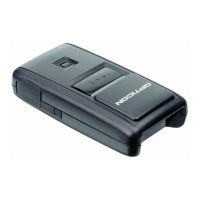
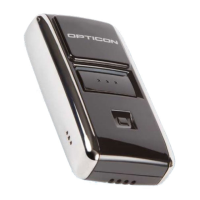
Opticon OPN2005 - User Manual

Opticon OPN2005
23 pages
Print Icon
To Next Page IconTo Next Page
Loading...
1
OPN2004/5/6 and PX20
Batch demo application
Version RFI3793B (OPN2004/5/6) / RFM3793B (PX20)
November 11, 2014
Opticon Sensors Europe BV
Opticon, Inc.

Other manuals for Opticon OPN2005

Questions and Answers

  • A
    Ashley LewisAug 8, 2025
    What to do if the Opticon OPN2005 application has crashed?
    • K
      kwheelerAug 8, 2025
      If the application has crashed, press and hold both the trigger and delete key for at least 20 seconds. After the barcode reader has sounded a short beep, release both keys to complete the restart.
  • S
    Sherri JohnsonAug 23, 2025
    What to do if the Opticon OPN2005 OS has crashed?
    • K
      kelly89Aug 23, 2025
      If the OS has crashed, the watchdog will cause the device to restart after about 1 second.

Opticon OPN2005 Specifications

General IconGeneral
BrandOpticon
ModelOPN2005
CategoryBarcode Reader
LanguageEnglish

Related product manuals