2.
Split both speaker wires approx-
imately four inches
on
each end.
3.
Using a wire stripper, carefully strip
about 1/4 inch of insulation from the
end of each individual wire.
~
fl
y~~
4.
Connect one of the individual wires
to the right positive (
+)
SPEAKERS
push
terminal
located
on
the
..
receiver's back panel. Then, connect
the other individual wire to the right
negative
(-)
SPEAKERS push
terminal.
5.
Using the speaker wire's coding as
a guide, connect the positive wire to
the positive
(+)terminal
on
your right
speaker.
Then connect the negative wire to
your right speaker's negative
(-)
terminal.
SpeaKers
OPERATION
USING THE RECEIVER'S
CONTROLS
1.
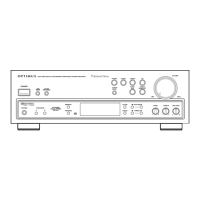
Press [POWER] to turn
on
the
receiver. When the power is on, the
red
dial-pointer
indicator lights.
Press [POWER] again to turn off the
power.
2.
Select and prepare the desired pro-
gram source as described
in
the
following instructions.
Program
Sources
AM-
Set the source selector to
AM.
Use the turning control to select the
preferred station. When you ac-
curately tune to a station, the green
TUNED indicator lights.
FM
AUTO-
Set the source selector
the
FM
AUTO. Use the tuning control
to select the preferred station. When
you accurately tune
in
a station, the
green TUNED indicator lights.
If the station is broadcasting
in
stereo, the red STEREO indicator
also lights.
PHONO - Set the source selector to
PHONO. Put a record
on
your turn-
table and adjust the front panel con-
trols for the desired sound. See
"Connecting a Turntable."
CD/TAPE-
Set the source selector
to CD/TAPE. This activates the
receiver's COlT APE input jack or the
TAPE INPUT jacks so that you can
listen to your favorite COs and
cassettes. This is also the source you
select if you have a ceramic or
crystal-cartridge turntable.
3.
Adjust the VOLUME control to the
desired sound level. The VOLUME
control adjusts the sound level tor
both channels, from MIN (minimum)
to MAX (maximum).
4.
To increase high frequencies, turn
the TONE control toward HI. To
decrease high frequencies, turn the
TONE control toward
LO
.
5.
When you use Radio
Shack's
MINIMUS series or other small
speakers, set the
EQ
switch (on the
receiver's back panel)
to
the
ON
posi-
tion to boost low frequencies. Here,
the
EQ
switch activates the special
equalization circuitry
in
your receiver
to give you the same rich, full sound
as in larger speaker systems.
If you use another speaker system,
experiment by setting the EQ switch
to both the OFF and
ON
positions.
Use the position that produces the
best sound.
11


 To Next Page