8
Adjusting the Focus
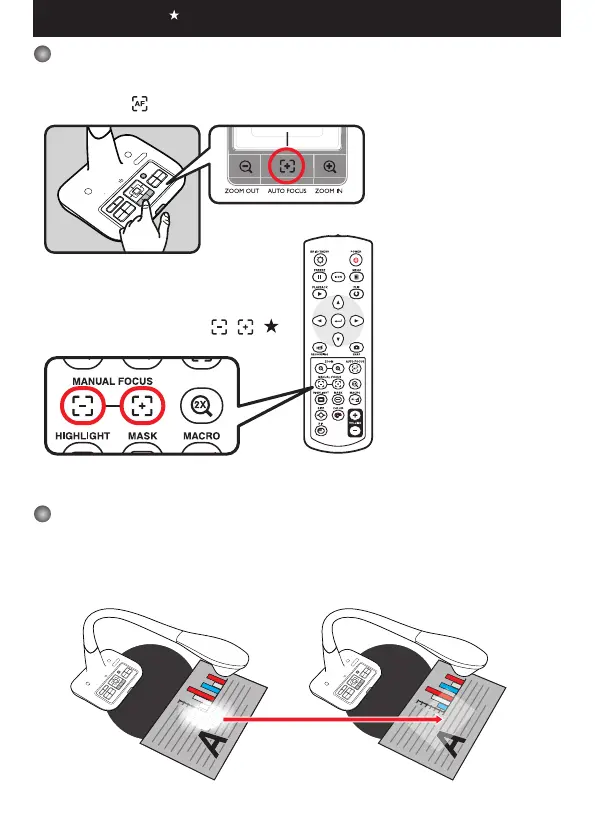
▶Automatic Focus
Press AF button ( ) to do an one-time auto focus. This function provides a one-time auto-
focus.
▶Manual Focus
Use the manual focus buttons ( / )( )
on remote control to finetune the focus.
Anti-glare
Anti-glare sheet is a transparent plastic that is overlaid on top of shiny object or glossy surface to
reduce the glare.
To use, simply place the anti-glare sheet on top of shiny object to glossy surface such as magazine
to reduce light reection.
Functions indicated by can only be used by the remote control.
+ Anti-glare


 To Next Page