3
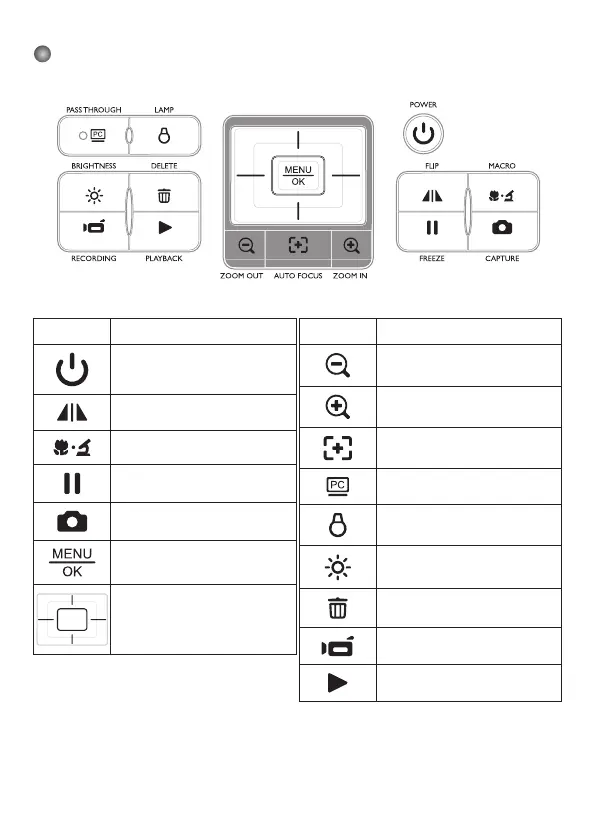
Control Panel
Button Function
Power On/Off.
Invert image 180°.
Macro/Normal switch.
Freeze the current image.
Capture a still image.
Show menu and select.
Direction keys
Button Function
Zoom out
Zoom in
One-time auto focus
Pass the signal from PC via RGB
input port to RGB output port.
Turn on/off the LED lamp and
adjust the brightness.
Show/hide brightness adjustment
bar.
Delete one file from memory
when in playback mode.
Record a video clip.
Enter playback mode to display
recorded pictures and video clips.


 To Next Page