4
Preparing the Document Camera
»
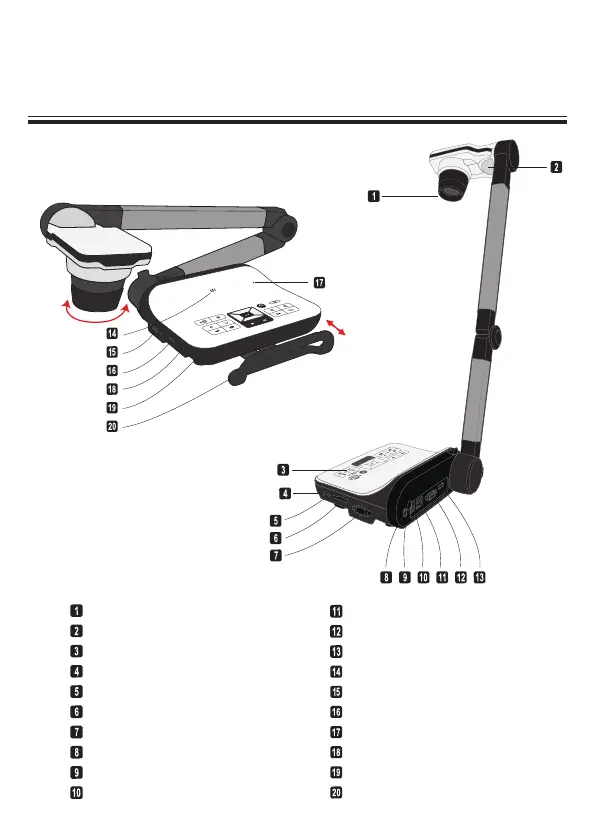
Knowing the Document Camera Parts
Camera Head
LED Lamp
Control Panel
Audio Output Port
Audio Input Port
SD Card Slot
RS232 Port
Anti-theft Slot
Remote Control Signal Receiver
DC 5V Power Socket
USB Port
VGA Output Port
HDMI Output Port
Speaker
VGA Input Port
HDMI Input Port
Microphone
USB Port (For USB Flash Drive)
Remote Control Signal Receiver
Carrying Handle
90°
Carrying Handle
Slide out the handle out to
carry the Document Camera.


 To Next Page