5
»
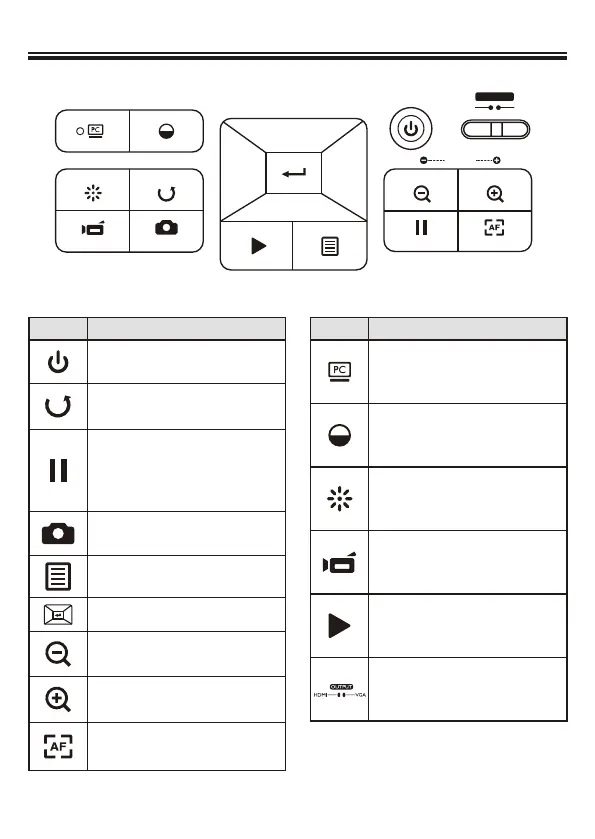
Control Panel
Button Function
Power on/off
Invert image 180°
"Freeze" the current image or
"Pause" the clip while playing
video
Capture a still image
Show or hide Menu
Direction button
Zoom out
Zoom in
One-time auto focus
Button Function
Pass the signal from PC
Show/hide brightness adjustment
bar.
Turn on/off the LED lamp and
adjust the brightness.
Record a video clip
Enter playback mode to display
recorded still images and video
clips
Output switch
HDMI
FREEZE
FLIPLAMP
BRIGHTNESS
PASS
THROUGH
RECORDING SNAP AUTO FOCUS
ZOOM
POWER
VGA
OUTPUT
PLAYBACK MENU


 To Next Page