7
»
Setting up
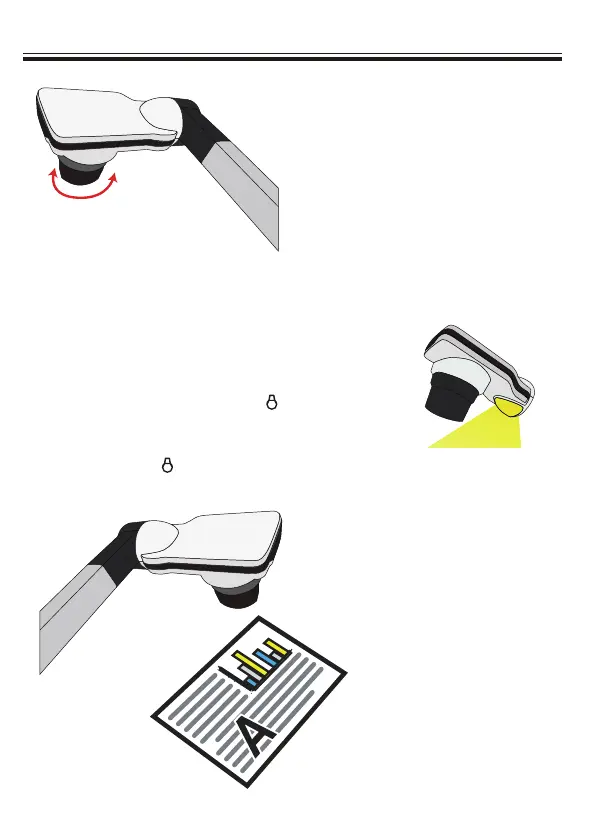
• Camera Head
Roll the lens rotator to rotate image
90°.
90°
• Illumination Lamp
If you are in a dark environment, please turn
the LED lamp on to get better exposure.
1. Press the LED lamp button (
) on the
base to turn on/off the LED lamp.
2. Adjust the brightness by pressing the
lamp button (
)


 To Next Page