EN-53
About AP and Infrastructure modes
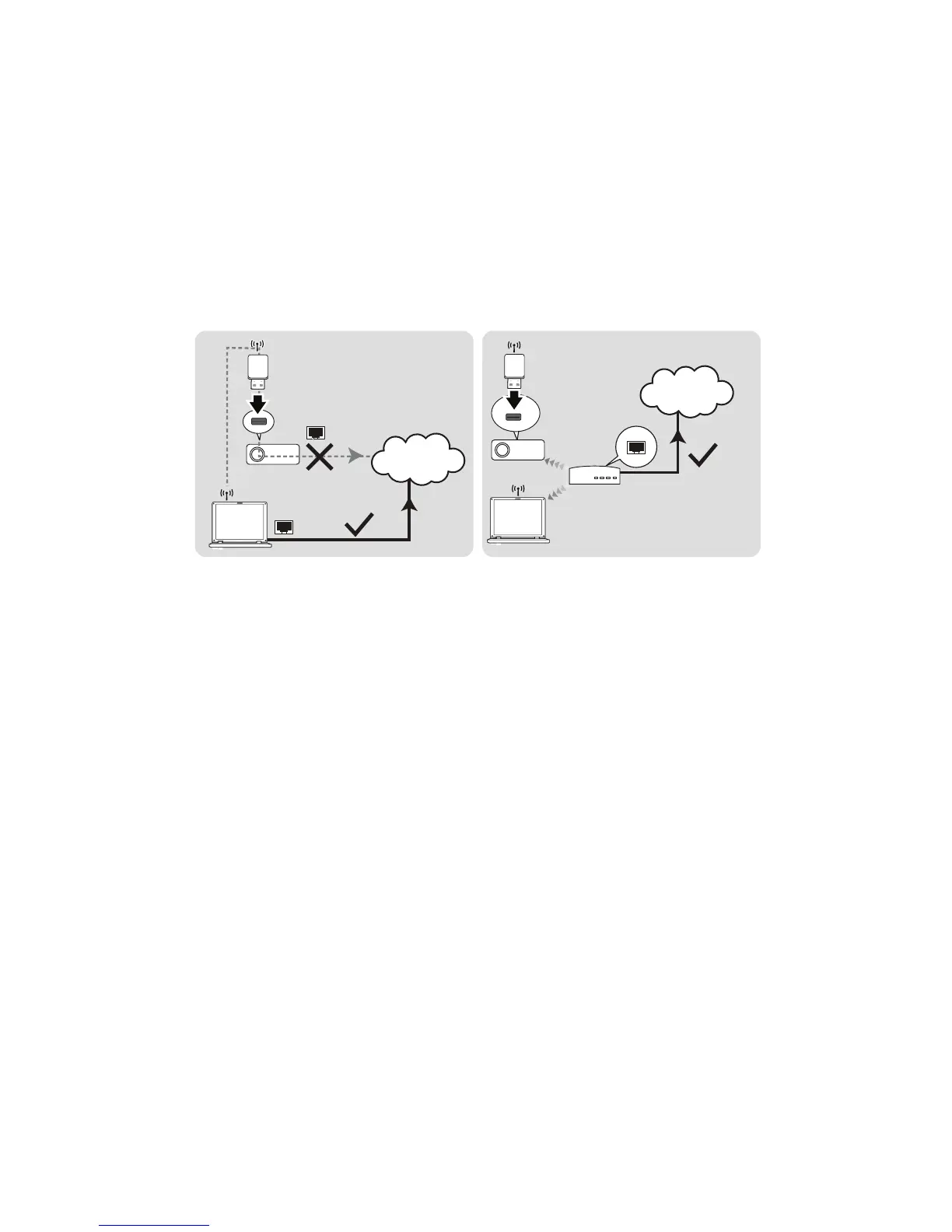
In AP mode, you need to use your computer's wireless connection utility to
search for the projector's SSID and connect to it. Then you can search for
the projector with Optoma Presenter.
In Infrastructure mode, you should connect both your computer and projector
to the same AP router and make connections with the IP address.
The following diagram describes how to access the Internet in AP and Infra-
structure modes.
Important
If you need more information about AP and Infrastructure modes, please refer to user
documentations for Wireless Routers which are usually available on 3C stores.
(AP Mode)
Internet
(Infrastructure Mode)
Internet


 To Next Page