EN-55
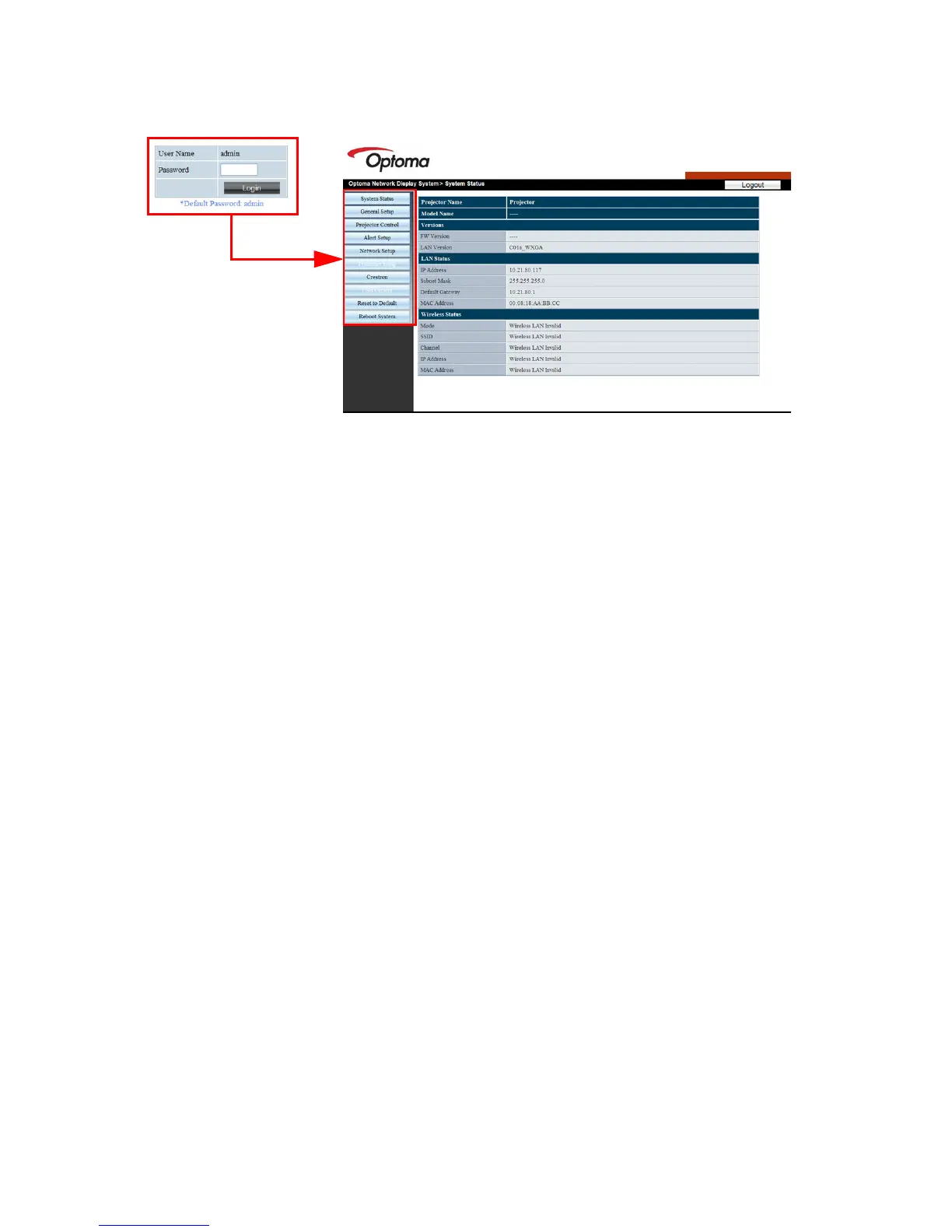
6. To have access to the Admin page, you need to enter a password. The
default password is “admin”.
System Status: Displays the system information.
General Setup: Allows you to turn on/off the projector, switch the
input signal for the projector, and change the password for the
Administrator page.
Projector Control: Provides some OSD menu items for adjusting the
projected pictures. See "Menu Operation" on page 23 for details.
Alert Setup: Allows you to setup the mail server and send system
error messages to your ITS administrator.
Network Setup: Provides wired and wireless network settings.
Reset to Default: Allows you to restore the device to the factory
default settings.
Reboot System: Allows you to restart the network.


 To Next Page
 Loading...