Rev. 03
Company Confidential Optoma_______________________ Delta____________
17
2007/02/08
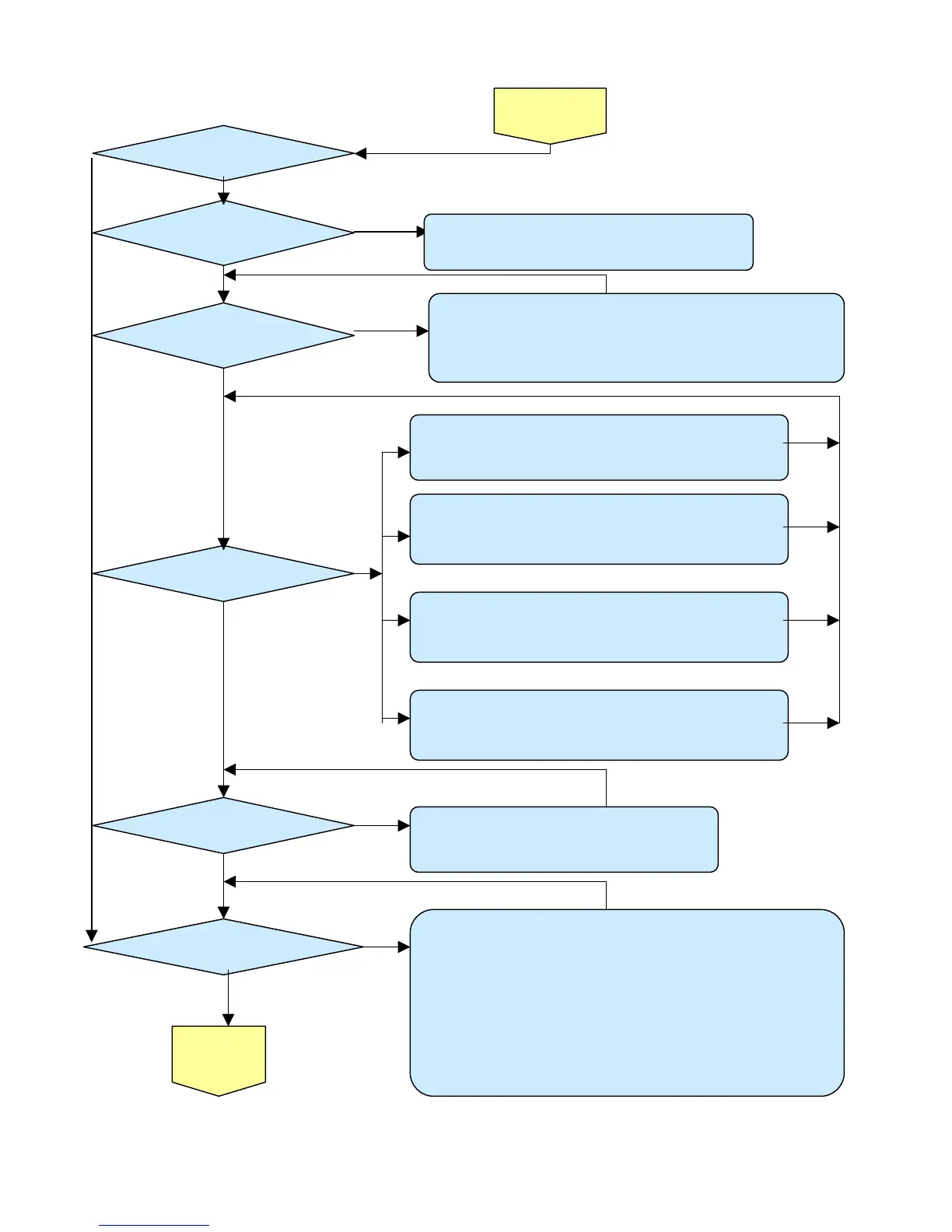
Turn the power ON
The lamp is ON
POWER: 4 Blinks
Ready: 1 BLINKS
POWER: 5 Blinks
Ready: 1 BLINKS
POWER: 6 Blinks
Lamp does not light:lighting operation sound (ignition sound) exists.
1. Check Main Board and Ballast Board Ass’y malfunction.
2. Check Ballast to Main board connector (CN530) disconnected.
3. Check Lamp failure (Lamp is broken, damaged, or burst).
1. Check Main board connector (CN800) of Fan disconnected.
2. Check Lamp Fan malfunction.
1. Check Main board connector (CN801) of Fan disconnected.
2. Check Ballast Fan malfunction.
1. Check Main board connector (CN9050) of Fan disconnected.
2. Check Burner fan malfunction.
1. Check Main board connector (CN800) of Fan disconnected.
2. Check Power fan malfunction.
Lamp does not light:No lighting operation sound (ignition sound) exists.
1. Check Flexible cable of Color Wheel Ass’y is disconnected and broken.
2. Color Wheel Ass’y malfunction (does not rotate).
3. Check Main Board Ass’y malfunction (Color Wheel Ass’y does not rotate).
4. Check Power Supply Unit malfunction.
5. Check Index board malfunction (color wheel turns fast).
YES
YES
READY:1 Blink
READY:2 Blink
READY:3 Blink
READY:4 Blink
POWER: 3 Blinks
POWER: 9 Blinks
Image
Display
YES
YES
NO
NO
NO
NO
NO
1.Check Thermal sensor1 Transistor ( Q702 ) malfunction.
2.Check Thermal sensor IC ( U709 ) malfunction.
1. Check Thermostat is not attached.
2. Check Main board connector (CN852) is open.
NO



 To Next Page