EW536/HD66/DW318
Condential
5-5
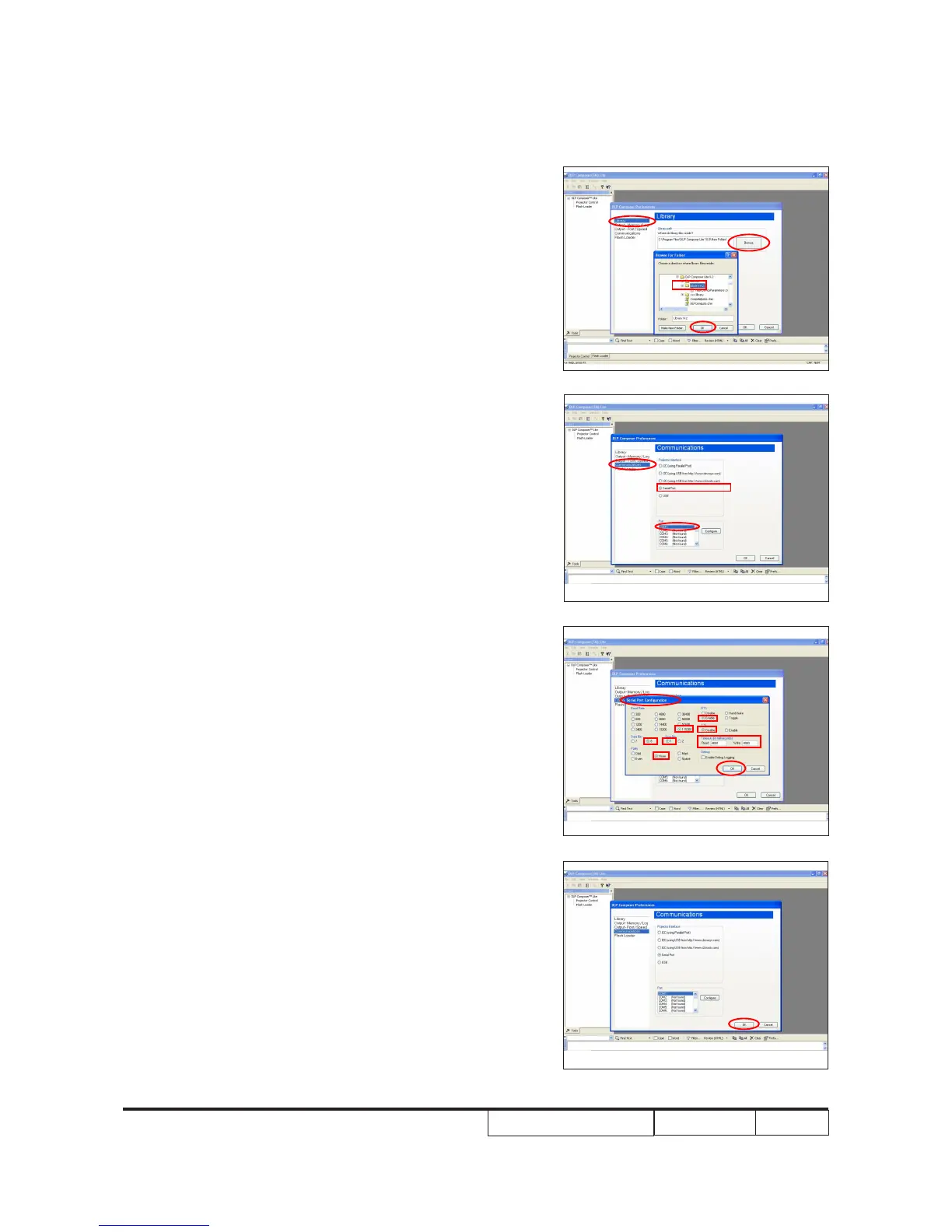
4. Click "Library".
- Click the "Browse" and navigate to
the directory where you put the DLP
Composer installation les in.
- Click "Library 9.2" folder.
- Click "OK".
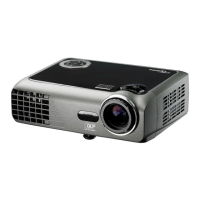
5. Click "Communications".
- Select "Serial Port", then click "Congure".
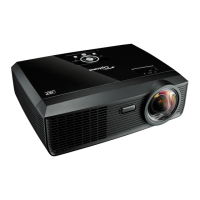
6. "Serial Port Conguration" picture will
appear on the screen.
- Make sure the settings are as below:
(1) In "Baud Rate" item, select "115200".
(2) In "Data Bits" item, select "8".
(3) In "Stop Bits" item, select "1".
(4) In "Parity" item, select "None".
(5) In "RTS" item, select "Enable".
(6) In "CTS" item, select "Disable".
(7) Key in "4000" into "Read" and "Write"
items of "Timeouts (in milliseconds)".
- Click "OK".
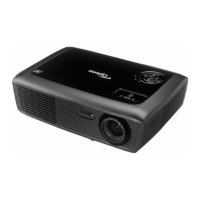
7. Click "OK".


 To Next Page