EW536/HD66/DW318
Condential
5-6
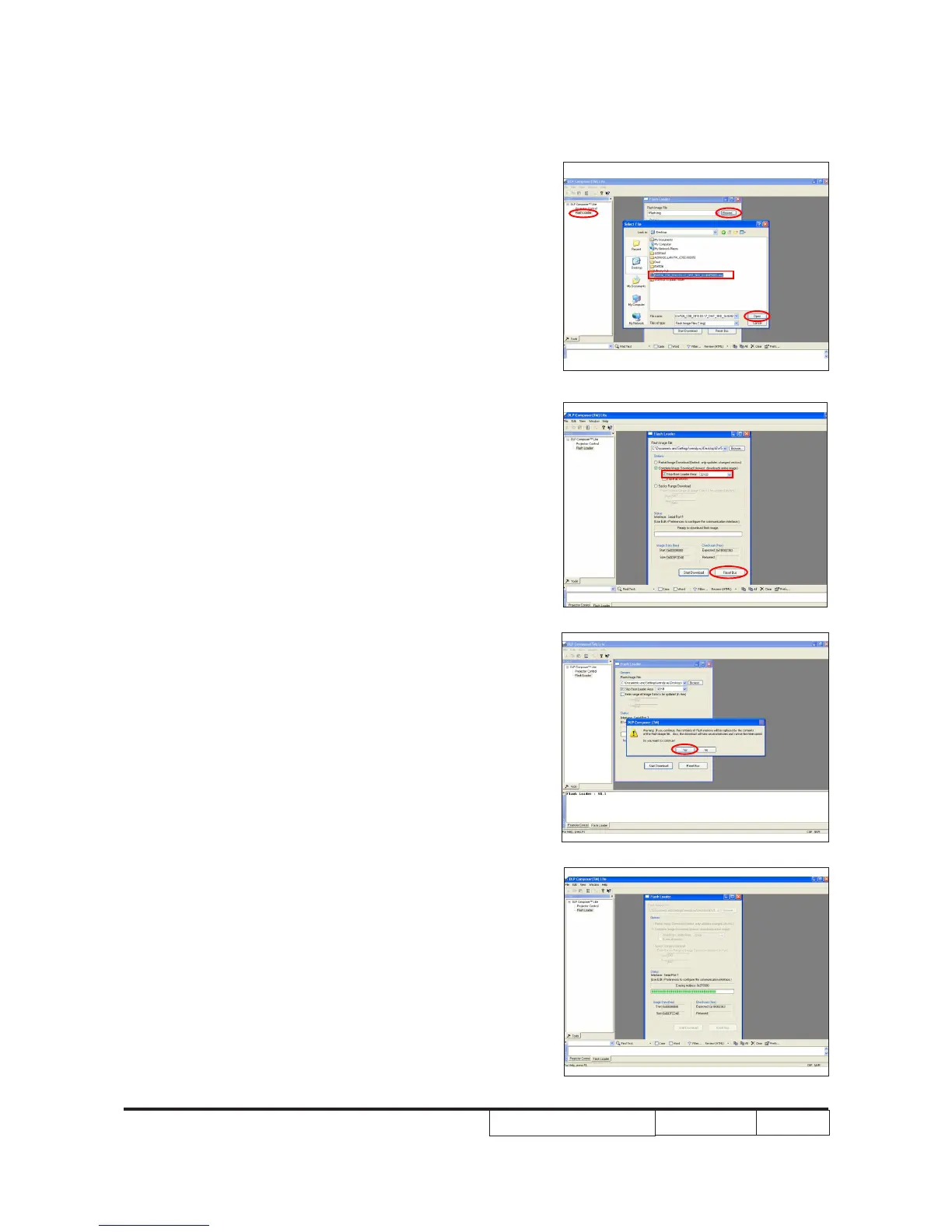
8. Choose "Flash Loader".
- Click "Browse" to search the rmware le
(*.img).
- Click "Open".
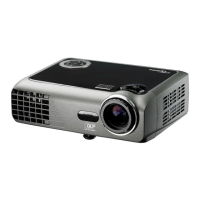
9. Select "Skip Boot Loader Area".
(select "32KB").
- Click "Reset Bus" to erase the ash
memory.
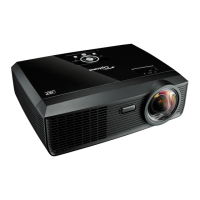
10. If the FW is ready, click "Start Download"
to execute the rmware upgrade.
- Click "Yes".
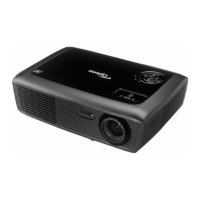
11. Proceeding Picture.


 To Next Page