HD25/HD25LV/HD25e
Condential 2-2
2-1 Repair notice
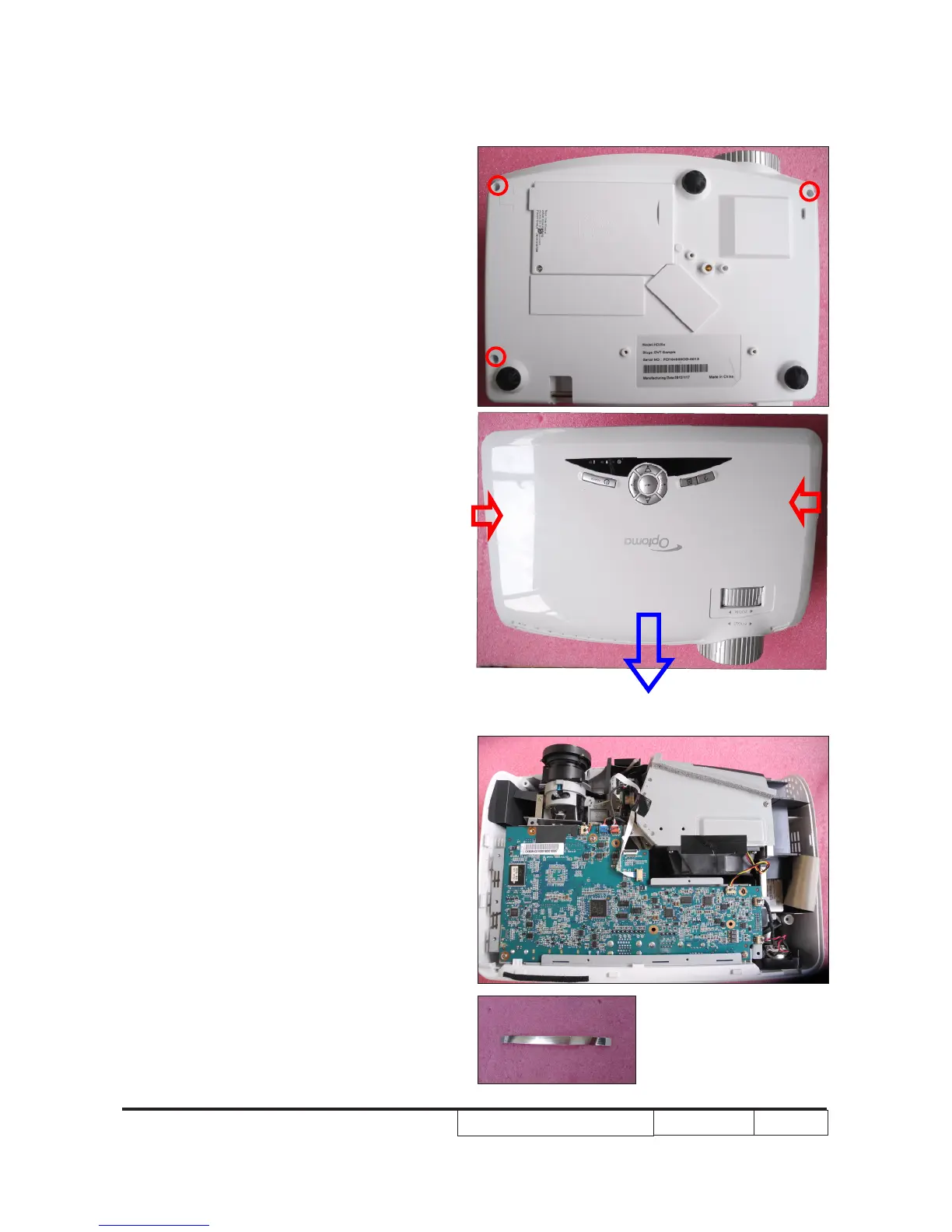
2-1-1 Disassemble Top Cover
Module
2-1-2 Disassemble Main
Board
1. Unplug 1 connector (as green square) to
remove the FPC cable.
2. Unplug 8 connectors (as yellow square).
3. Unscrew 6 screws (as red circle) from
the Main Board Module.
1. Unscrew 3 screws (as red circle) from
the Bottom Cover.
2. Press two sides of the projector and push
them as the blue arrow.
3. Remove the Top Cover Module.
FPC cable



 To Next Page