HD25/HD25LV/HD25e
Condential 2-8
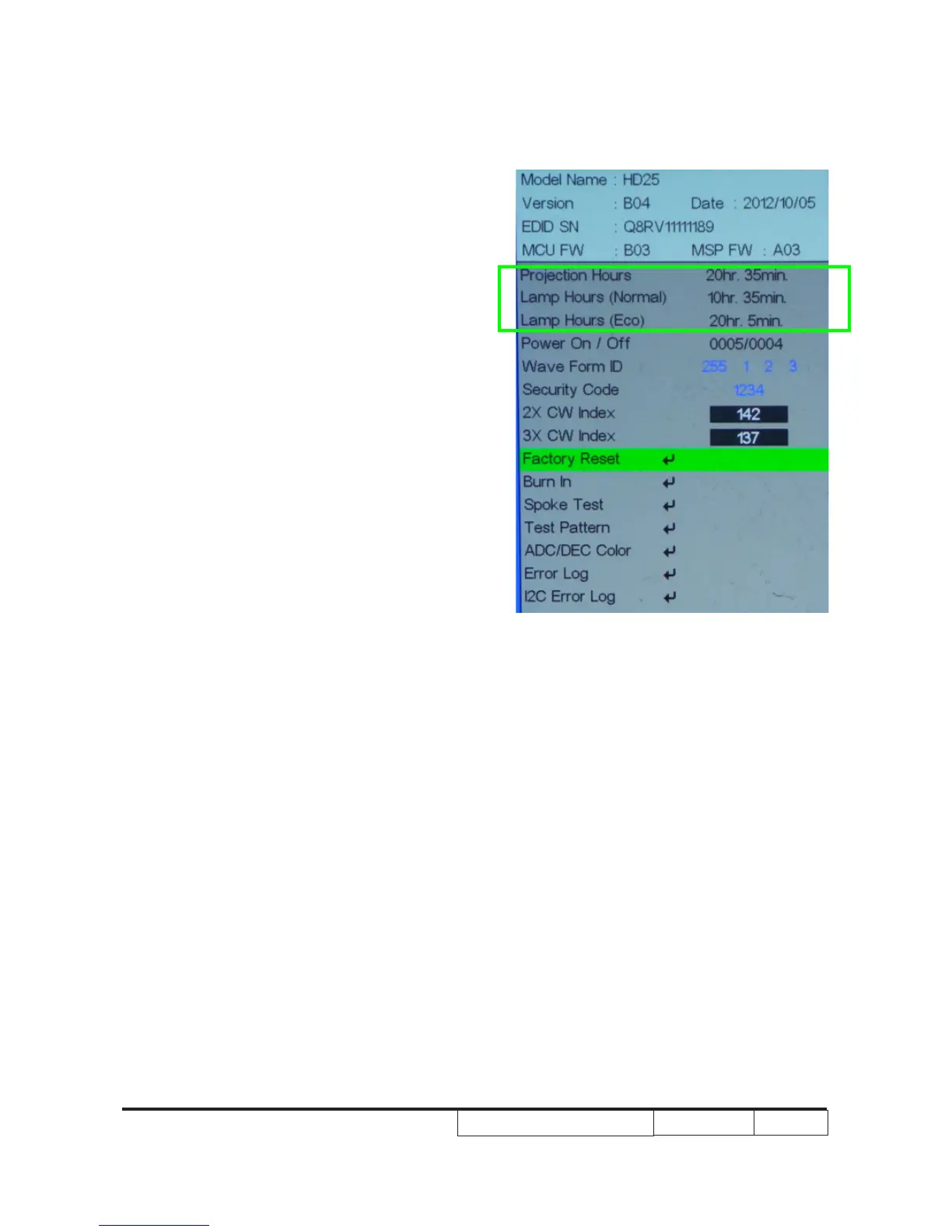
2-3 Re-write Lamp �ours�ours
Usage
1. Get into service mode
- Press (power→up→right→up→left→
Menu) to get into service mode.
2. Re-write Projection Hours
-Select Projection Hours and use “left” or “
right” buttons to re-write the projection
hours.
3. Re-write Lamp Hours(Normal)
-Select Lamp Hours(Normal) and use
“left” or “right” buttons to re-write the lamp
hours(Normal).
4. Re-write Lamp Hours(ECO)
-Select Lamp Hours(ECO) and use “left”
or “right” buttons to re-write the lamp
hours(ECO).
5. Choose “Exit”, press “Enter” to exit
Note: left key = decrease lamp hour
right key =increase lamp hour



 To Next Page