English
25
User Controls
pre-set modes that allow the user to switch among the pre-sets to
obtain different image effects. (0:Off/1:On)
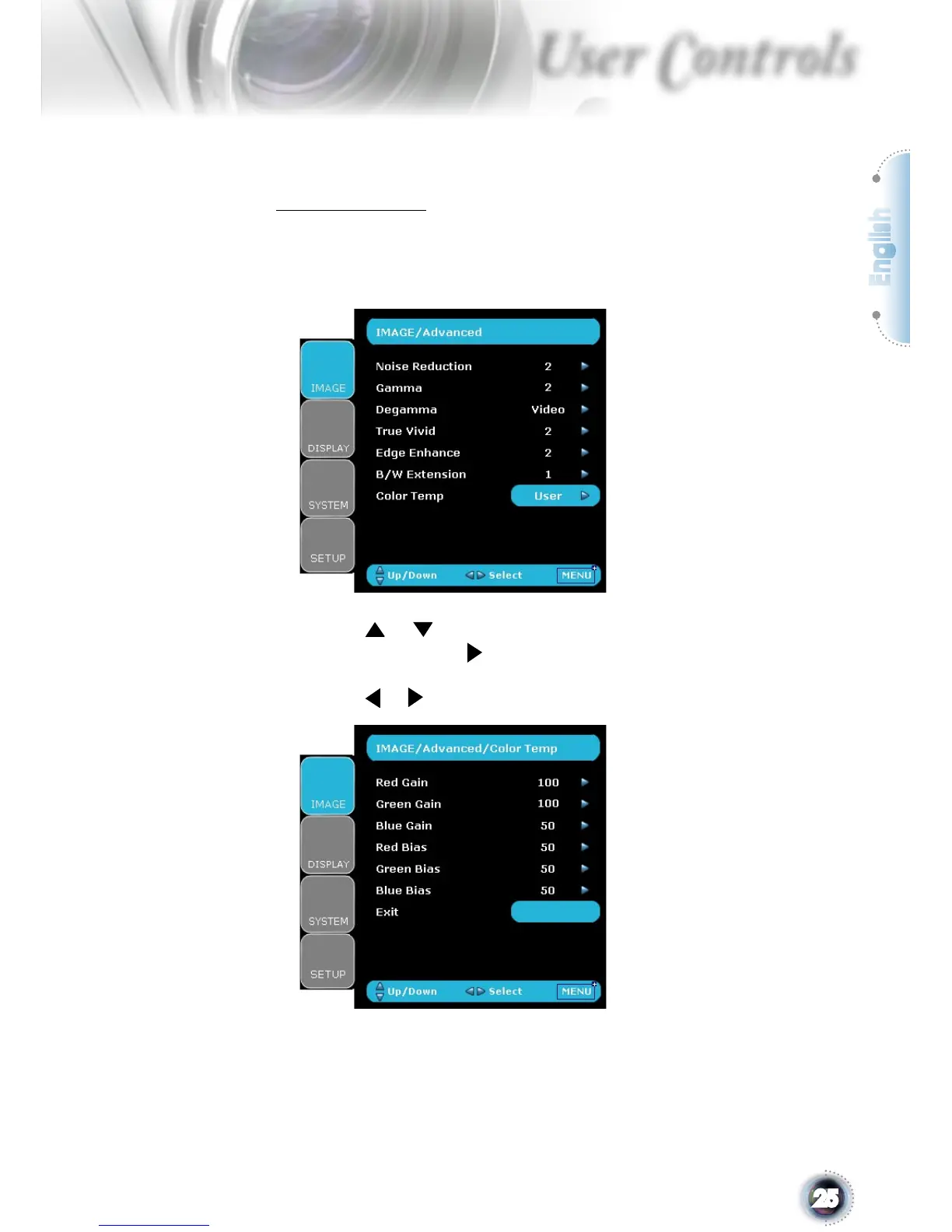
Color Temp.
Adjust the color temperature. At cold temperature, the screen
looks colder; at warm temperature, the screen looks warmer.
1) For User mode adjustment, put cursor on “User”, and press
“Enter” to select this adjustment item.
2) Use “ ”, “ ” to highlight the desired adjustment items, then
press “Enter” or “ ” to select it. The Menu disappears and
only an adjustment bar appears.
3) Use “ ”, “ ” arrow keys to adjust image.



 To Next Page