Condential
5-9
ML300
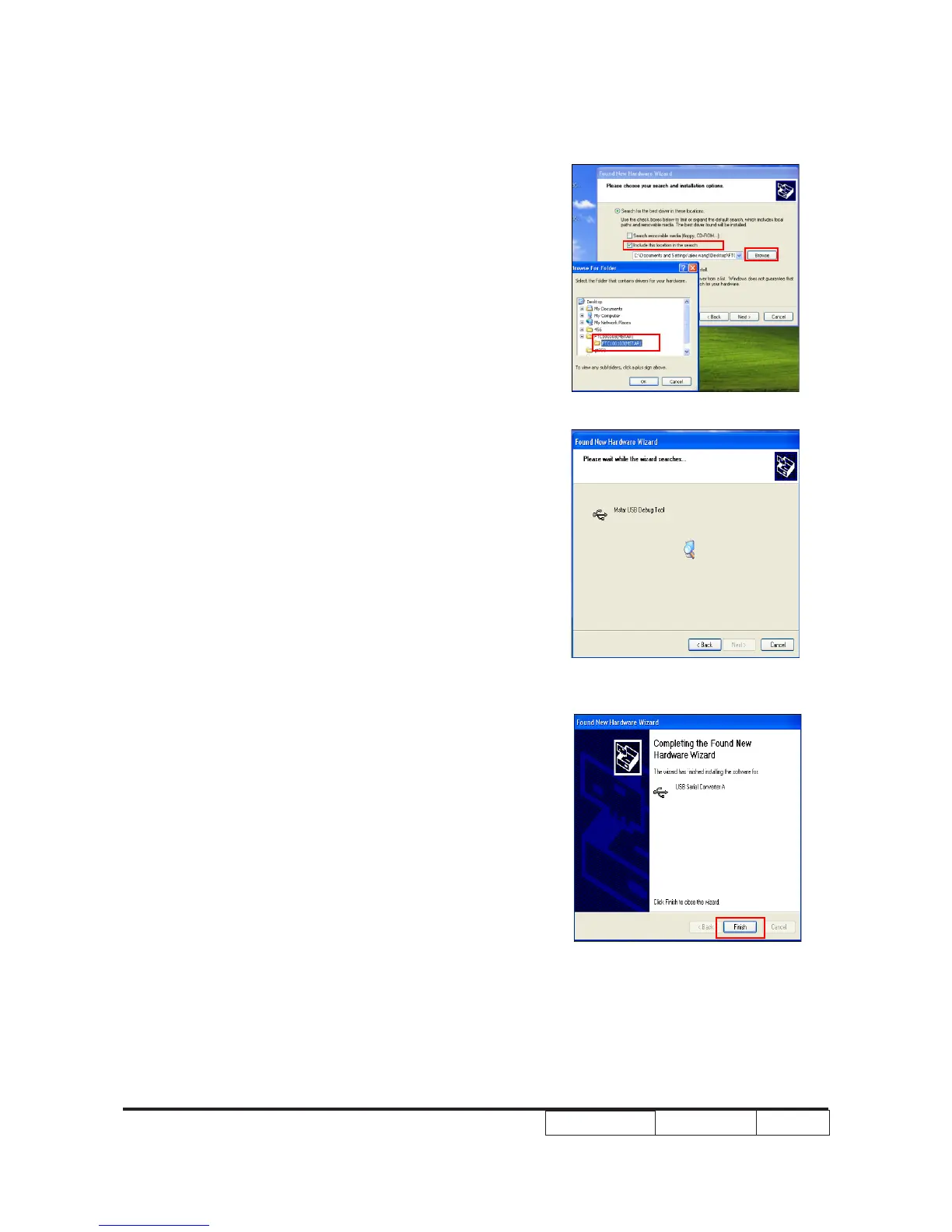
4) Select “Include this location in the search”,
then click “Browse”.
(5) “Browse For Folder” picture will appear
on the screen.
(6) Select “FTC100103(MSTAR)” folder, then
click “OK”.
(7) Click “Finish”.
Note: If the PC appear “Found New Hardware
Wizard” picture again, repeat step 2 to
install USB Drivier once more.



 To Next Page