12
Connections
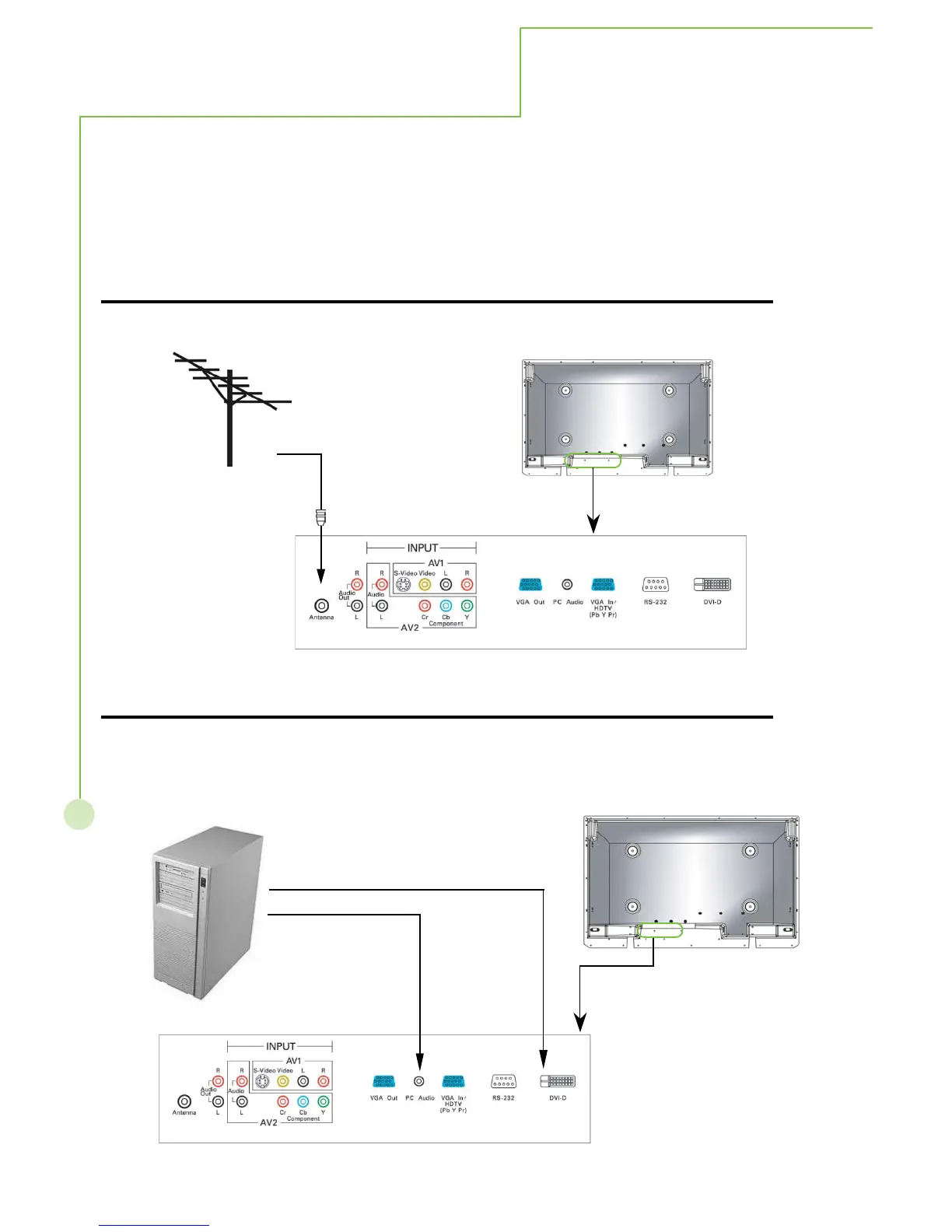
How to connect the Cable TV or Antenna
This unit can receive and display programs and signal from VHS, DVD, HDTV, video game and etc.
Here we list and explain some kinds of familiar apparatus. Please ensure the correct connection
between display and external equipment.
Use Antenna cable to connect ANTENNA socket of F connector with 75 Ohms impedance.
How to connect the computer
If you want to connect with computer, you may use the rear input terminal - VGA IN or DVI for
Video input and PC Audio for Audio input
(OR)



 To Next Page