31
English
User Controls
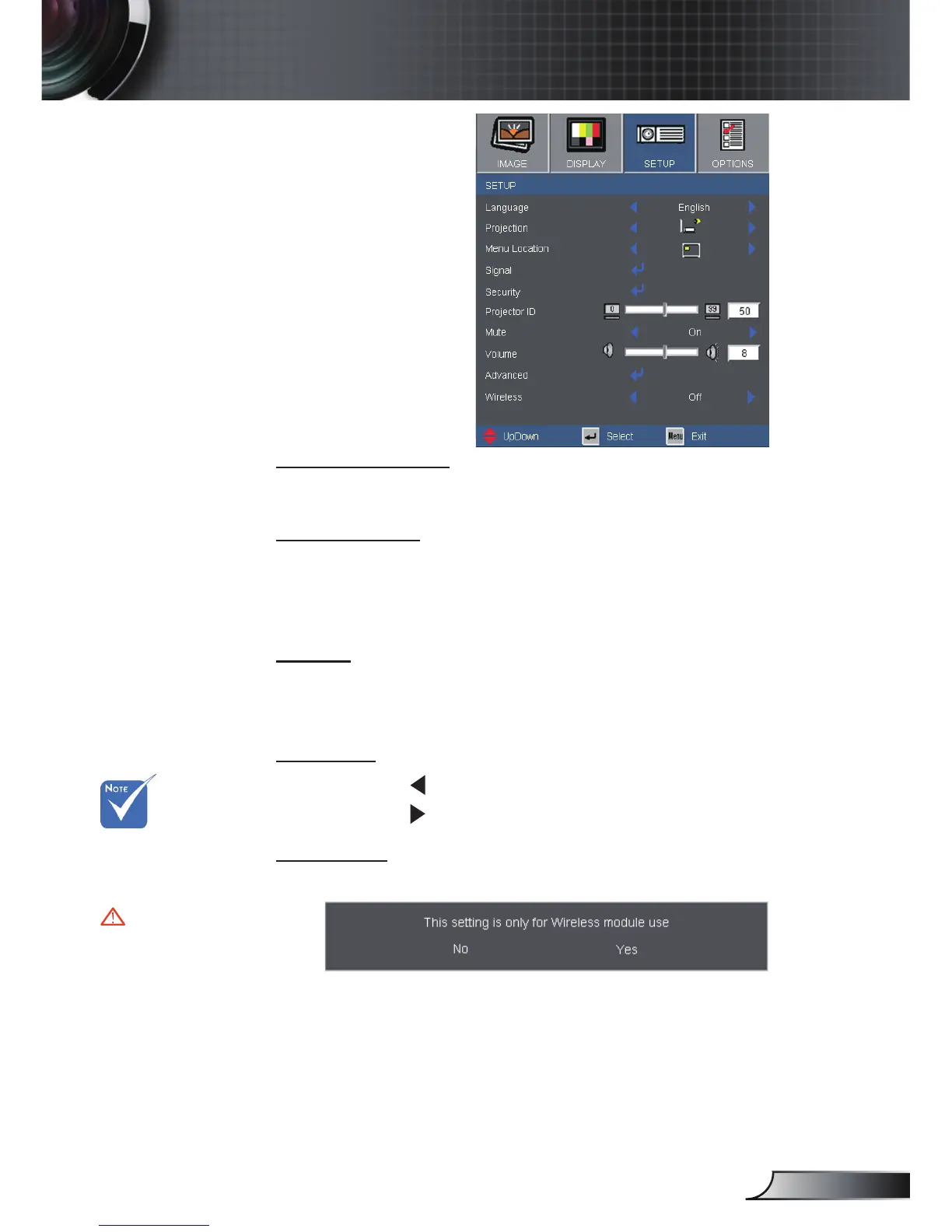
SETUP
Menu Location
Choose the menu location on the display screen.
Projector ID
ID de nition can be set up by menu (range 0~99), and allow
user control an individual projector by RS232. Refer to page 49
for the complete list of RS232 commands.
Mute
Choose the “On” to turn mute on.
Choose the “Off” to turn mute off.
Volume
Press the to decrease the volume.
Press the to increase the volume.
Wireless
Choose the “On” to turn on the Wireless.
“Wireless” is only
functional with
VGA1 connector
Warning:
Wired VGA will
not function and
the projector
maybe shut
down if Wireless
is turned on.



 To Next Page