43
English
Appendices
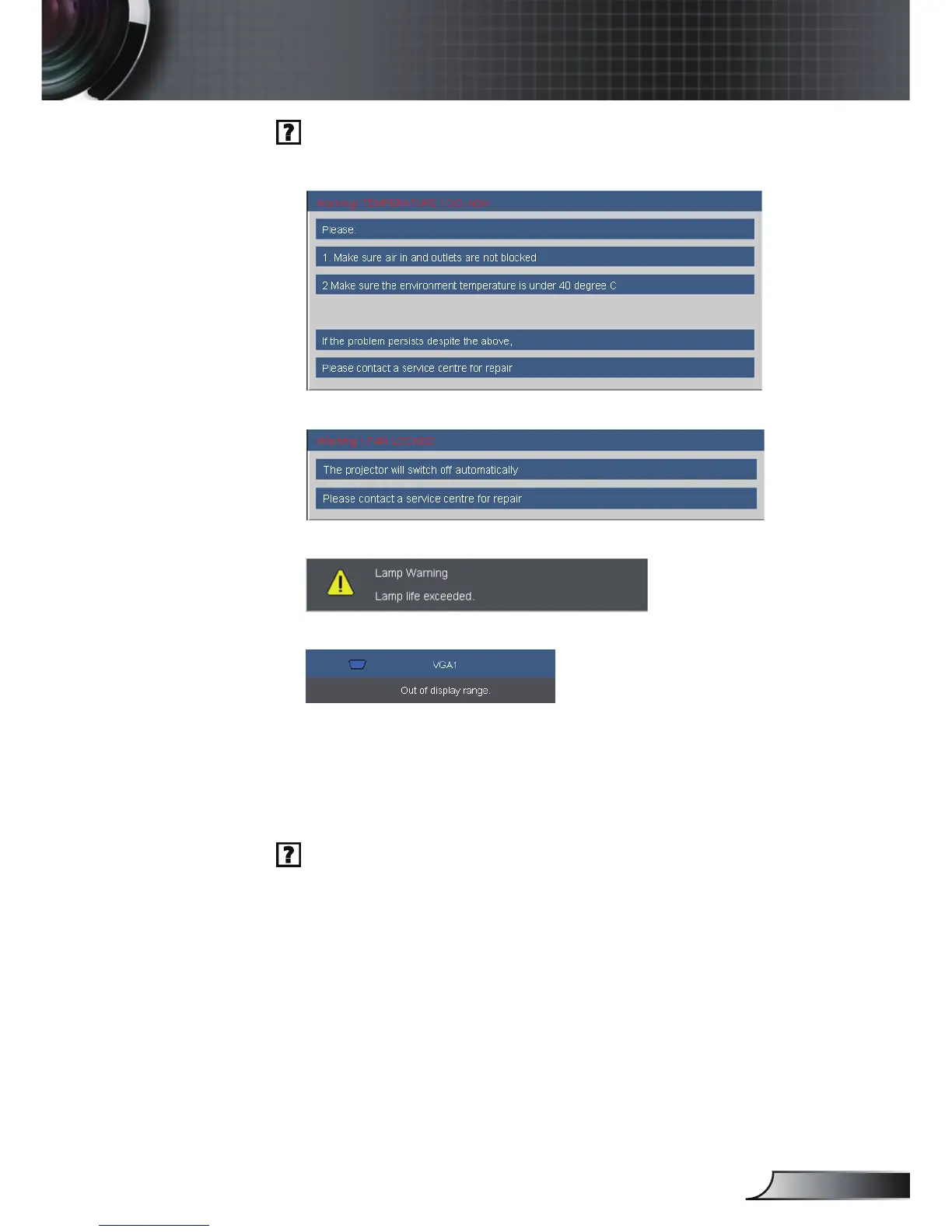
On Screen Messages
Temperature warning:
Fan failed:
Lamp warming:
Out of display range:
Remote Control
If the remote control does not work
Check the operating angle of the remote control is within ±15°
both horizontally and vertically of one of the IR receivers on the
projector.
Make sure there are not any obstructions between the remote
control and the projector. Move to within 7 m (±0°) of the projector.
Make sure the batteries are inserted correctly.
Replace batteries if they are exhausted.



 To Next Page