Install Power Distribution Board
This section describes installing the power distribution board in Oracle Database Appliance
Version 1.
1.
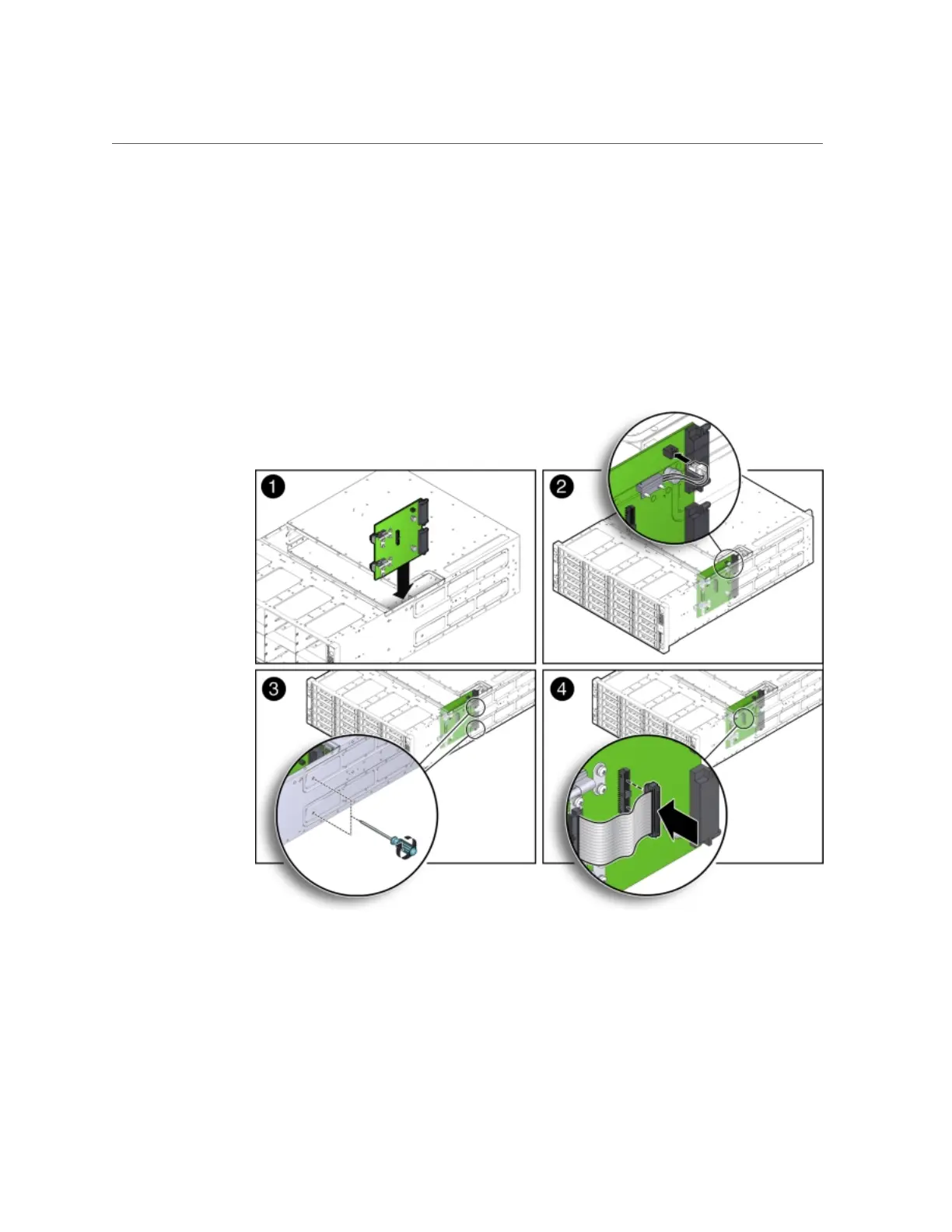
Install the power distribution board into the system chassis.
a.
Lower the power distribution board partially into the system [1].
b.
Reconnect the chassis interlock switch cable [2].
c.
Align the power distribution board with the two power connectors on the
disk midplane module and slide the power distribution board forward until
the connectors seat.
Appendix A • Servicing the Oracle Database Appliance Version 1 211












 To Next Page