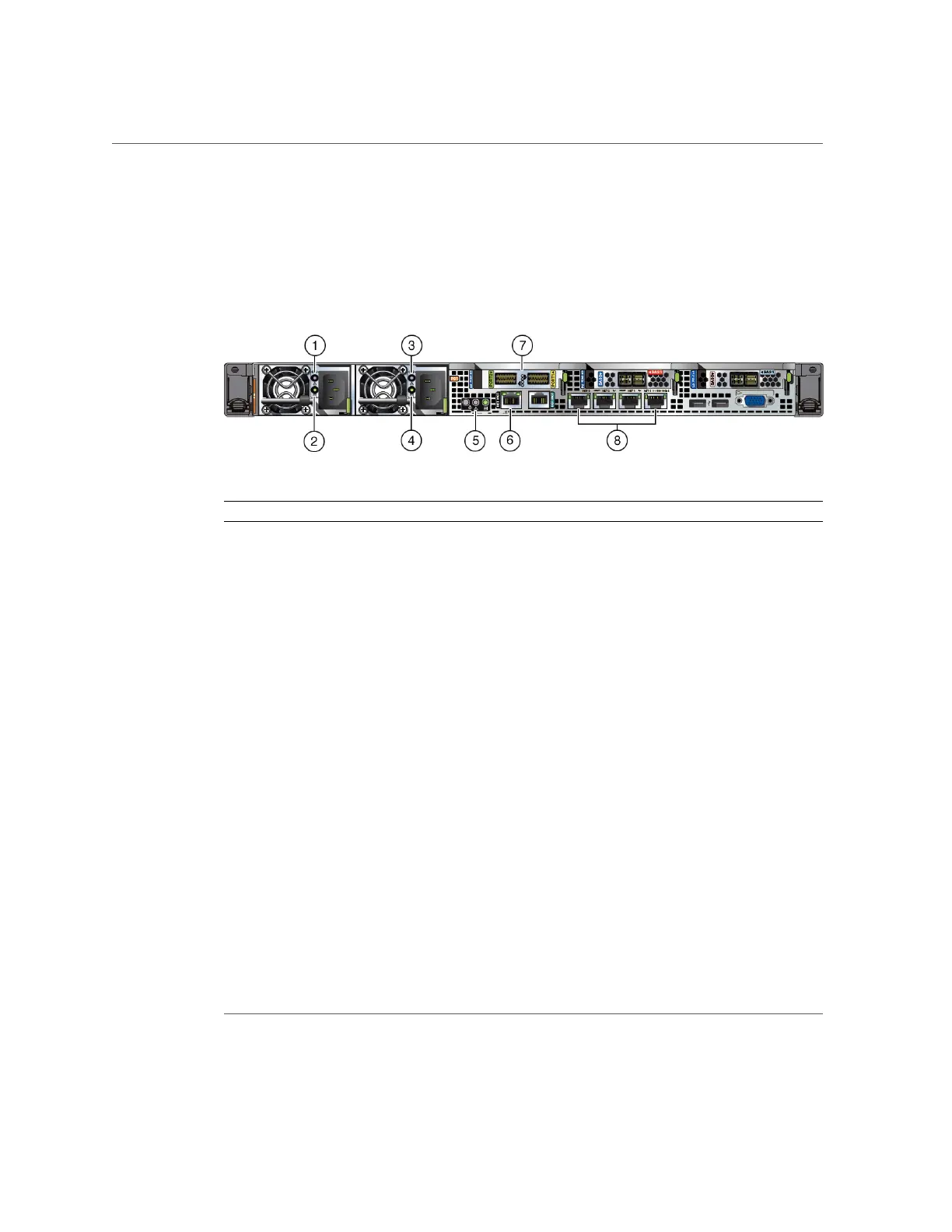
Oracle Database Appliance X5-2 Status Indicators
Server Node Back Panel Status Indicators
The Oracle Database Appliance X5-2 server node back panel includes indicators for the system,
power supplies and network ports.
Callout Indicator/LED: Color State Meaning
1, 3 PS Service Required: amber ■ Off – Normal operation.
■ On – The power supply (PS) has detected a PS fan failure, PS
overtemperature, PS over current, or PS over or under voltage.
2, 4 PS OK: green ■ Off – No AC power is present.
■ On – Normal operation. Input AC power and DC output voltage
are within specification.
■ Slow blink – Normal operation. Input power is within
specification. DC output voltage is not enabled.
5 System locate, service required
and OK: various
These operate in the same way as on the front panel.
6 NET MGT port: green 10/100/1000 BASE-T Ethernet management interface.
Top left link indicator:
■ On – Green for 1000Base-T link.
■ Off – 10/100BASE-T link.
Top right activity indicator:
■ On – Link up.
■ Off – No link or link down.
■ Blinking – Packet activity.
7 Two InfiniBand QSFP+ Adapter
ports (shown): green/yellow
InfiniBand QSFP+ interface.
■ Green on – InfiniBand physical link established.
■ Green off – No link.
■ Yellow on – InfiniBand is discovered over the link, but no data is
being passed .
■ Yellow off – A physical and/or logical link has not been
established.
Chapter 1 • Overview of System Status Indicators and LEDs 41












 To Next Page