Manual for Orange’s Tire Pressure Monitoring Systems, TPMS
10/14 www.orange-electronic.com
Orange Electronic Co., Ltd
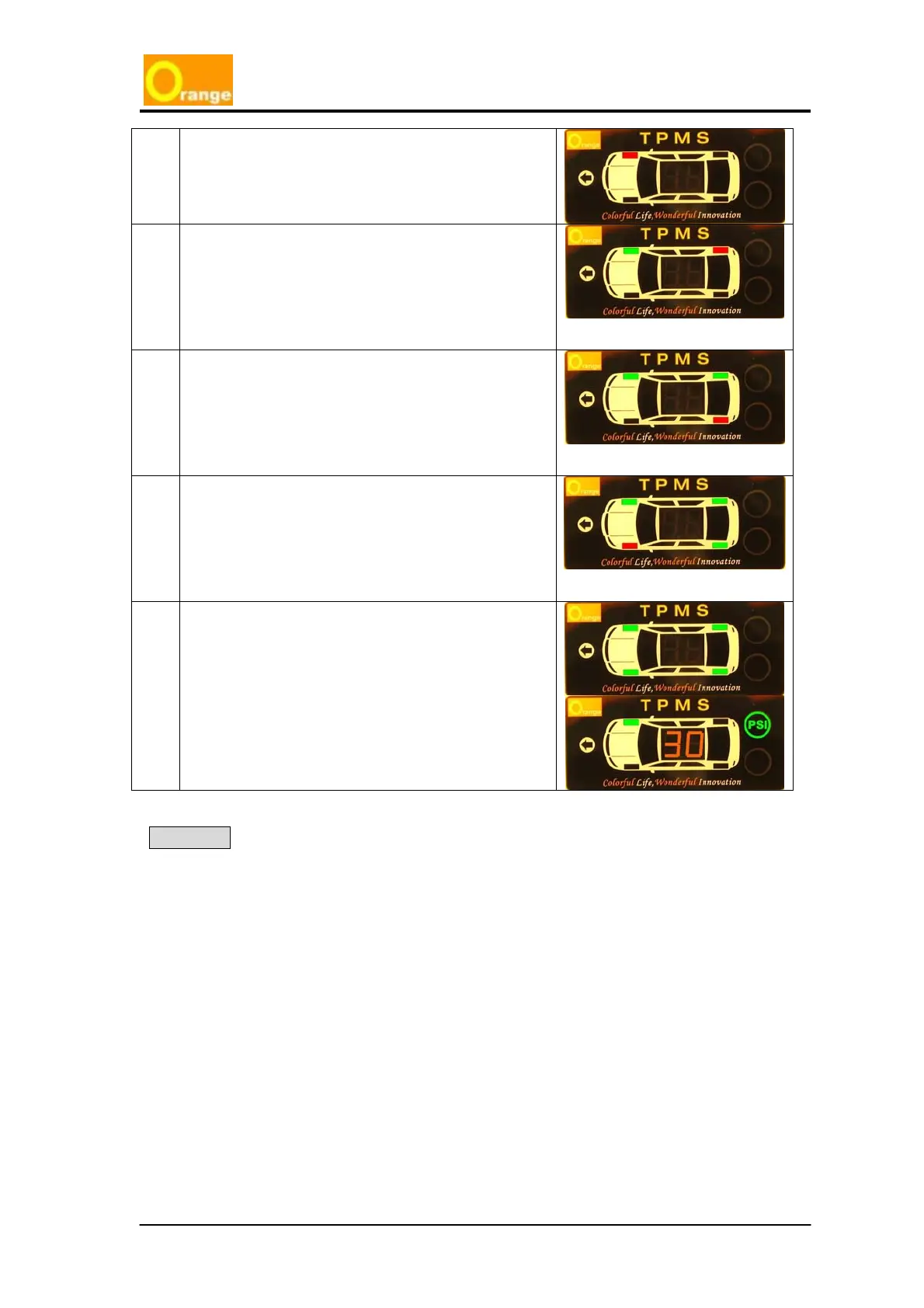
4 The display will light RED for No.1 tire (Right Front)
and wait to re-inflate the tire. (Must be slowly
inflated higher than 22psi).
5 Inflate the Right Front tire until the appropriate
pressure is reached and wait for the display to turn
green on the No. 1 tire and the No. 2 tire to turn
RED.
(If the display does not show the green light, please
deflate the pressure, and re-inflate pressure slowly
again.)
6 Inflate the Right Rear tire until the appropriate
pressure is reached and wait for the display to turn
green on the No. 2 tire and the No. 3 tire to turn
RED.
(If the display does not show the green light, please
deflate the pressure, and re-inflate pressure slowly
again.)
7 Inflate the Left Rear tire until the appropriate
pressure is reached and wait for the display to turn
green on the No. 3 tire and the No. 4 tire to turn
RED.
(If the display does not show the green light, please
deflate the pressure, and re-inflate pressure slowly
again.)
8 Inflate the Left Front tire until the appropriate
pressure is reached and wait for the display to turn
green on the No.4 tire. The system will then start to
detect the sensors.
(If the display does not show the green light, please
deflate the pressure, and re-inflate pressure slowly
again.)
Warming
1. Do not turn off the vehicles power during this process. Doing so will immediately
interrupt the repositioning setup process. The ignition can either be in the on or
start position.
2. After repositioning, check the display is detecting all tire pressures correctly. If
the system cannot work normally, please reset it and follow the instructions again.



 To Next Page