Manual for Orange’s Tire Pressure Monitoring Systems, TPMS
4/14 www.orange-electronic.com
Orange Electronic Co., Ltd
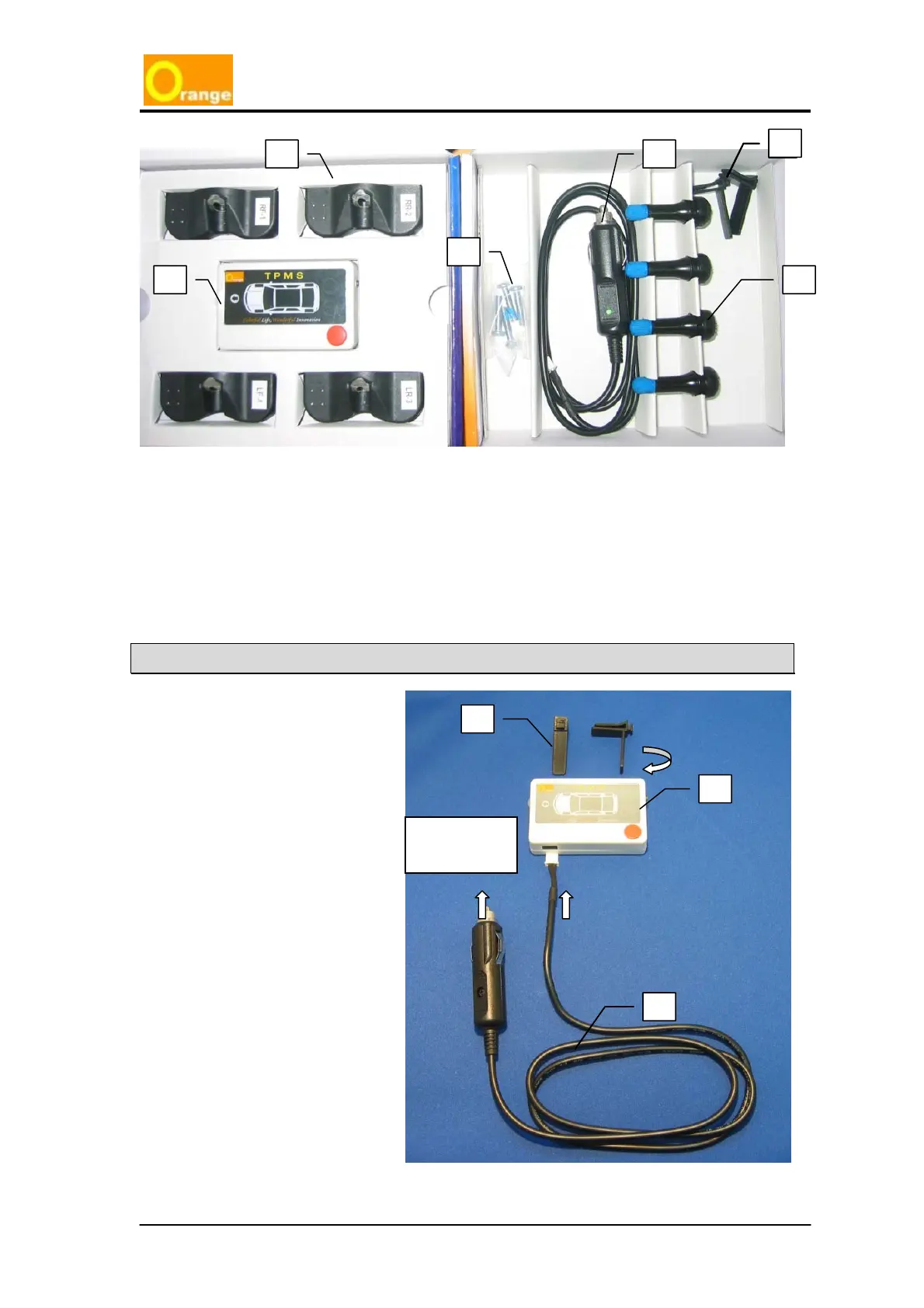
Display Unit Installation
A. Plug in one side of ⓒ the
power cable connection into
ⓐ
the display located on the
bottom.
B. Install the display unit in front of
driver at an appropriate position.
Take the two clips
ⓑ to fasten
into the bottom of the display
unit
ⓐ, and clip the unit into the
air-condition vent or other
convenient place.
C. Connect the power cable
ⓒ
into the vehicle’s cigarette
lighter socket for power
connection.
a
c d
e
f
a
b
c
Plug into car
power socket
b
c



 To Next Page