Manual for Orange’s Tire Pressure Monitoring Systems, TPMS
12/14 www.orange-electronic.com
Orange Electronic Co., Ltd
Further information about changing tire sensors
For example:
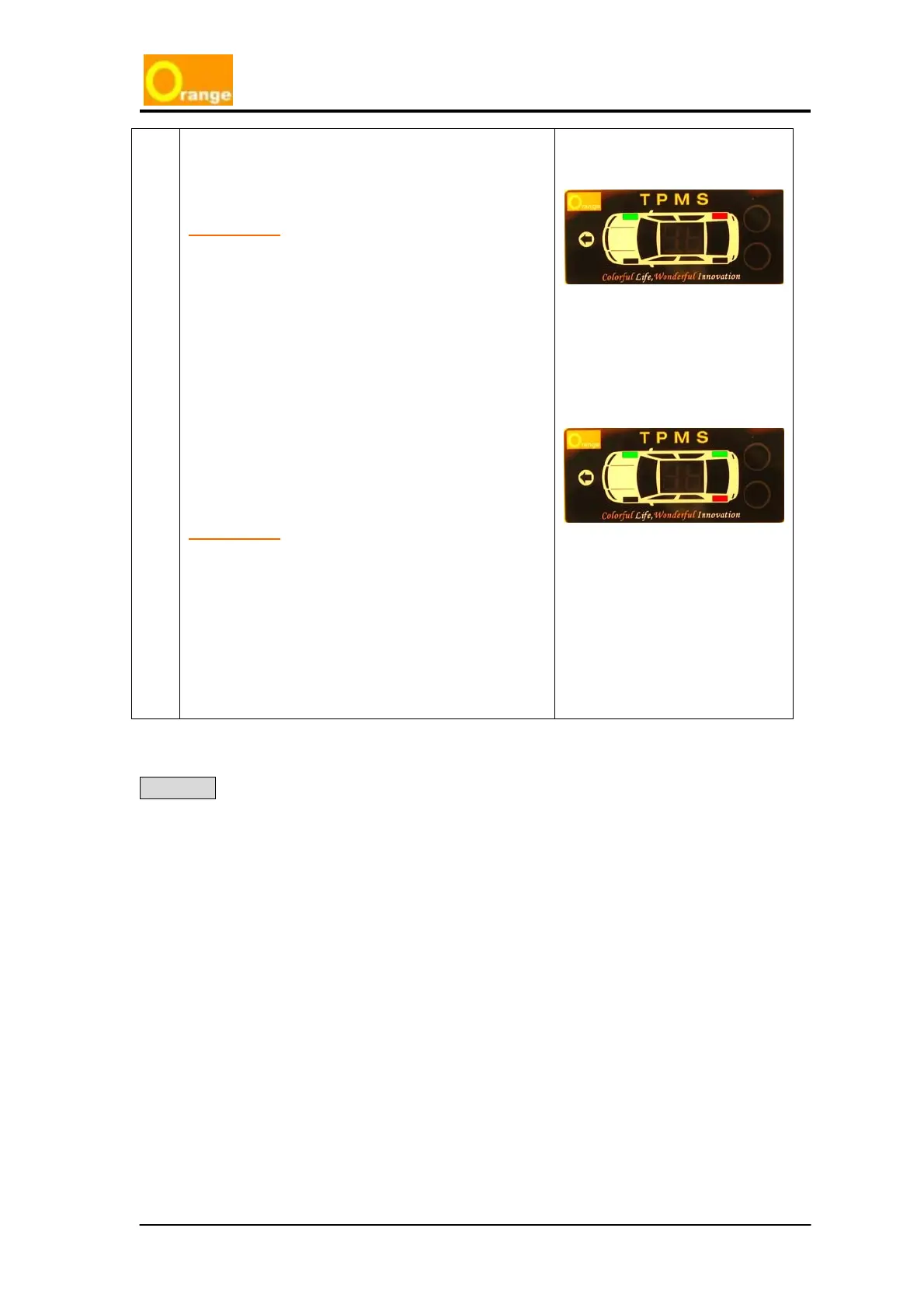
If the Right Rear sensor needs to be changed, then
after accessing the replacement mode, click the
function key
1 time (the orange button). At this
moment, the display will show as green for the
Right_Front tire, and red for the Right_Rear tire.
The Rear_Rear tire should then be deflated to
under 18psi. (Do not deflate the air pressure to
lower than 5psi). Then re-inflate the tire to the
standard tire pressure (over 22psi), and wait for 15
seconds, the system will automatically setup the
new Right_Rear tire ID in the system.
Check the display, the display must show a green
light for the Right_Rear tire (originally was shown
in red before replacement) and show the Left_Rear
tire as red. (wait for the display to change the tire
ID), if the Left_Rear tire sensor does not need to be
changed, then just ignore the red light and click the
function key
(the orange button) 2 times to logout
of the replacement mode and go back the tire
monitoring mode.
The replacement part is successfully installed.
If the display does not show the green light in
Right_Rear tire and red light in Left_Rear tire, the
system did not successfully capture the new
replacement sensor in the Right_Rear tire. It is
necessary to redo the above steps.
!
!
!
!
Warning Only use Orange TPMS sensor replacement parts (these can be purchased
from Orange’s Agents). Orange TPMS cannot use other brands of TPMS
sensors for replacement parts. Using other brands will be cause failure and
will void the warranty.



 To Next Page