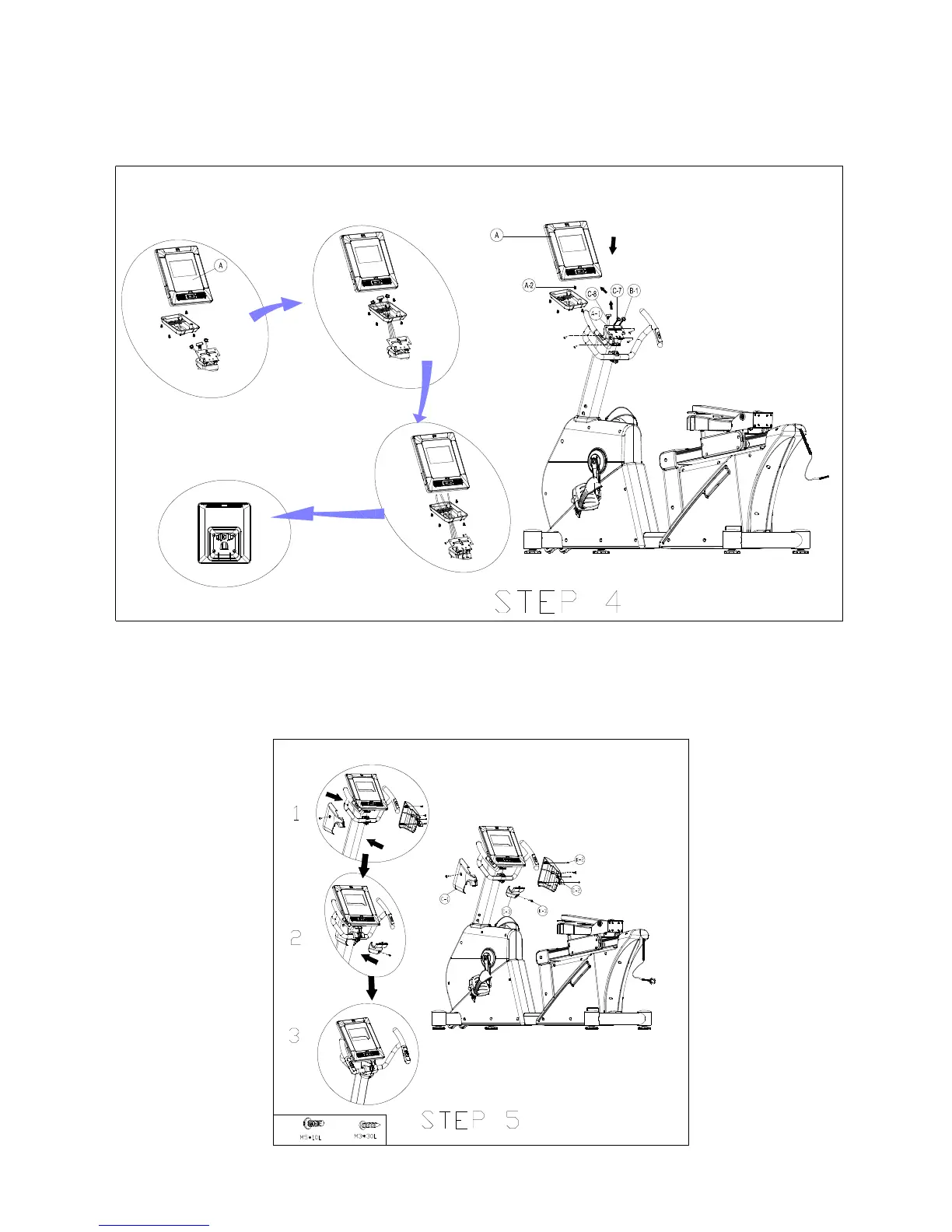
STEP 4 - Insert Computer
Take off computer back cover and four screws (A-2) from adjustable computer bracket (A-1). Then fix the computer plate( A-1) by screw.
Through four computer cables out of computer back cover. Connect four cables with computer, and then secure computer back cover
with screw ( A-2). Please see the detailed assembly as below :
1
2
3
4
Step 5 – Install Protect Cover
Attach left and right protect cover (C-1/C-2) to handlebar post by three screws (K-2) and two screws (K-3). Assemly upper protect cover
(C-3) to handlebar post by cross screw (K-3)
3*
3*



 To Next Page