10
Enhancement to TV sound (replacing TV speakers, analogue)
Power
On O
R
L
Stereo Width
O
Norm
Wide
Stereo
Line In
Approved
components used
®
Volume
Volume control:
Push to switch inputs
Press and hold for standby
Press to resume from standby
Subwoofer Output
8 ohm minimum
(Only connect to T12 subwoofer)
DC In 18V 2.5A
CoaxialOptical
Aux In
Digital Input
CAUTION:
To prevent electric
shock, do not remove
screws. No User
serviceable parts inside.
Video out
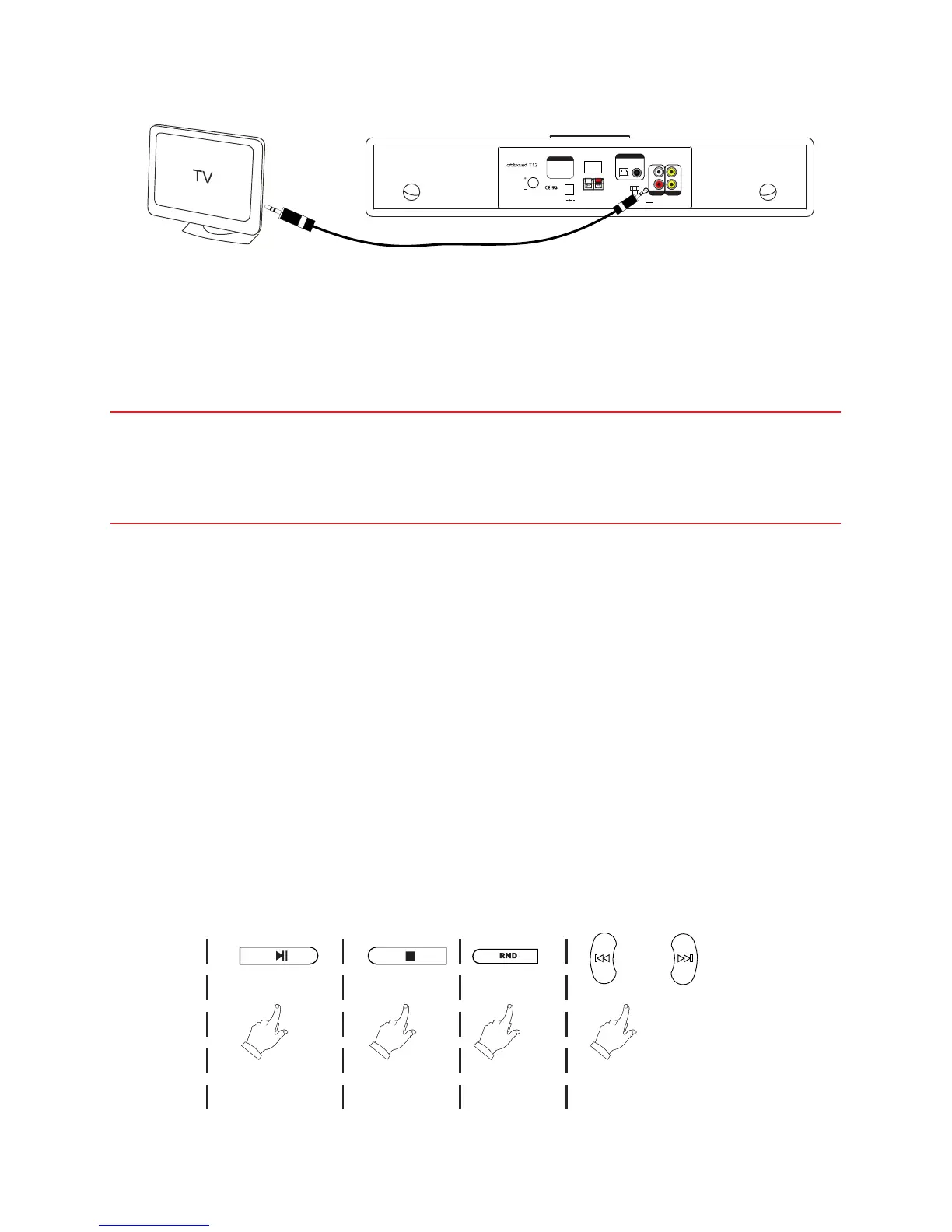
Connect headphones out on TV to 3.5mm input on T12 (alternative connection)
HINT: When used in this way, the TV remote control should adjust the volume into the
soundbar, but the iPod dock volume will be dierent to the TV listening level. Please be
careful of volume level when using this way.
IMPORTANT: Make sure that the soundbar is initially turned down when
connecting to a TV this way. Once the soundbar is connected, raise the TV
volume to about half, then adjust the soundbar volume to a comfortable
listening level.
HINT: If the TV speakers do not automatically mute when the 3.5mm jack cable is
inserted, check the TV sound menu.
Video output
The soundbar features 2 x RCA composite video outputs. These will display video
content and/or photos from your iPod/iPhone when it is played. There is no on
screen menu, the video output is to watch video ouput only (i.e. youTube).
iPod control & charge
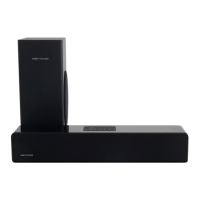
Basic play control is achieved by pressing the following buttons on the T12 remote
control unit:
RandomStopPlay/Pause Prev. track / Next track


 To Next Page