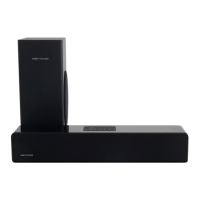
Troubleshooting
No sound is heard
Check power connections and that there is a continuous blue light on the front •
of the unit.
Check that the iPod/TV or other sound source is playing and that it is connected •
properly to the T12. With iPod, check that the unit is docked fully. If unsure that
your media device is playing, unplug, and test with headphones.
Press the sound source button on the remote (or briey press volume knob on •
rear of soundbar) to change the sound source.
Adjust the volume of the T12 until sound is heard and press source button again •
if there is still no sound.
Remote does not work
Check that plastic strip in remote has been removed (this engages the battery)•
If the remote has had a lot of use, replace the battery.•
Check there are no obstructions between the remote and the front of the T12 •
soundbar.
Sound is distorted
Turn down the output of the device playing into the T12•
Turn up the master volume on the T12 if necessary.•
Check that all audio connections are well seated / plugged in fully.•
Sound is noisy / ‘hissy’
Turn down the volume of the T12 unit•
Turn up the output volume of music source to compensate.•
Use the digital coax or optical (TOSLINK) inputs if possible.•


 To Next Page