Page
12
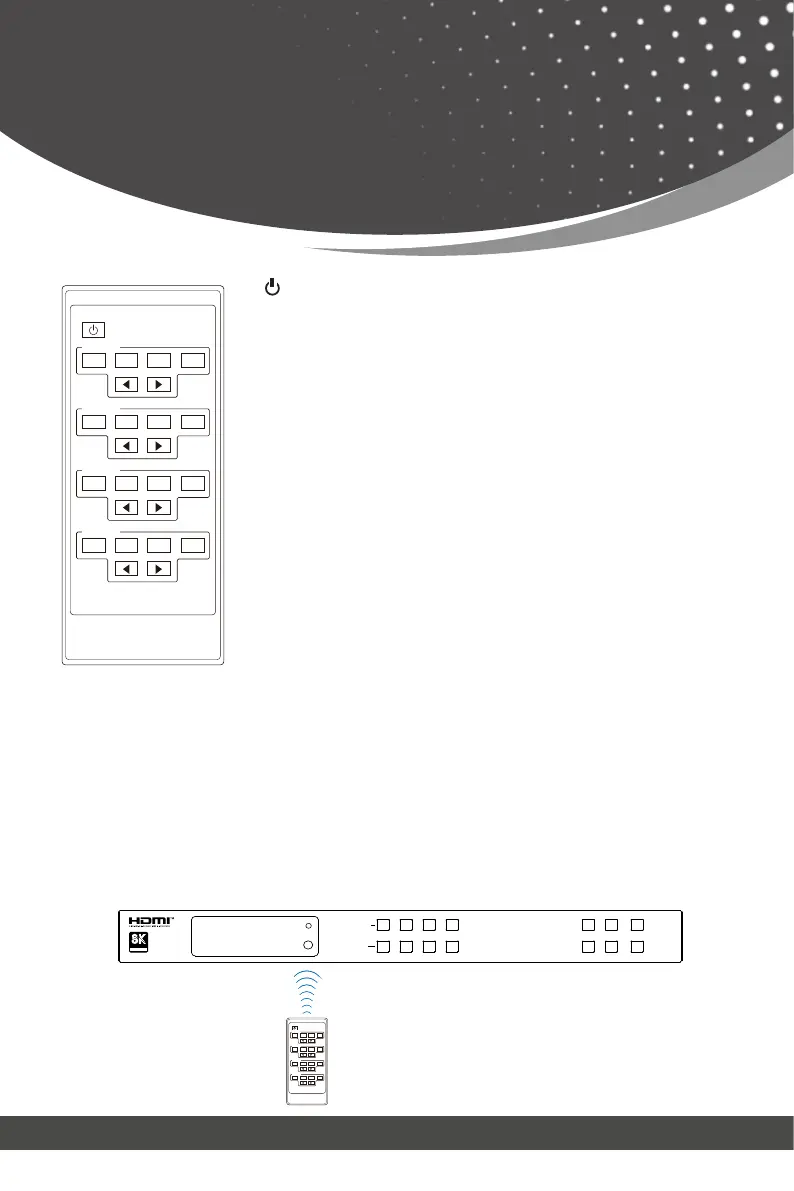
IR Remote
HDMI Matrix Remote
1 2 3 4
Output A
1 2 3 4
Output B
1 2 3 4
Output C
1 2 3 4
Output D
:
Output A:
Output B:
Output C:
Output D:
◀ ▶:
Power on the Matrix or set it to standby mode.
Press 1\2\3\4 button to select the input source for
HDMI OUTPUT 1.
Press 1\2\3\4 button to select the input source for
HDMI OUTPUT 2.
Press 1\2\3\4 button to select the input source for
HDMI OUTPUT 3.
Press 1\2\3\4 button to select the input source for
HDMI OUTPUT 4.
You can select input and output channel using the IR remote. There are two
ways to receive the IR remote signal.
Select the last or next signal input source.
The first way: The IR window accepts the IR remote signal. Using the IR re-
mote, the furthest distance is 8 meters when the IR remote is directly faced
to the matrix, and 5 meters when the using angle is ± 45°. The diagram is
shown below:
IR remote of the Matrix
HDMI Matrix Remote
1 2 3 4
Output A
1 2 3 4
Output B
1 2 3 4
Output C
1 2 3 4
Output D
LOCKDOWNENTER
POWERUPMENU
1
1
2
2
3
3
4
4
OUTPUT
INPUT
ASSOCIATION
CERTIFIED
PWR
IR



 To Next Page