Page
30
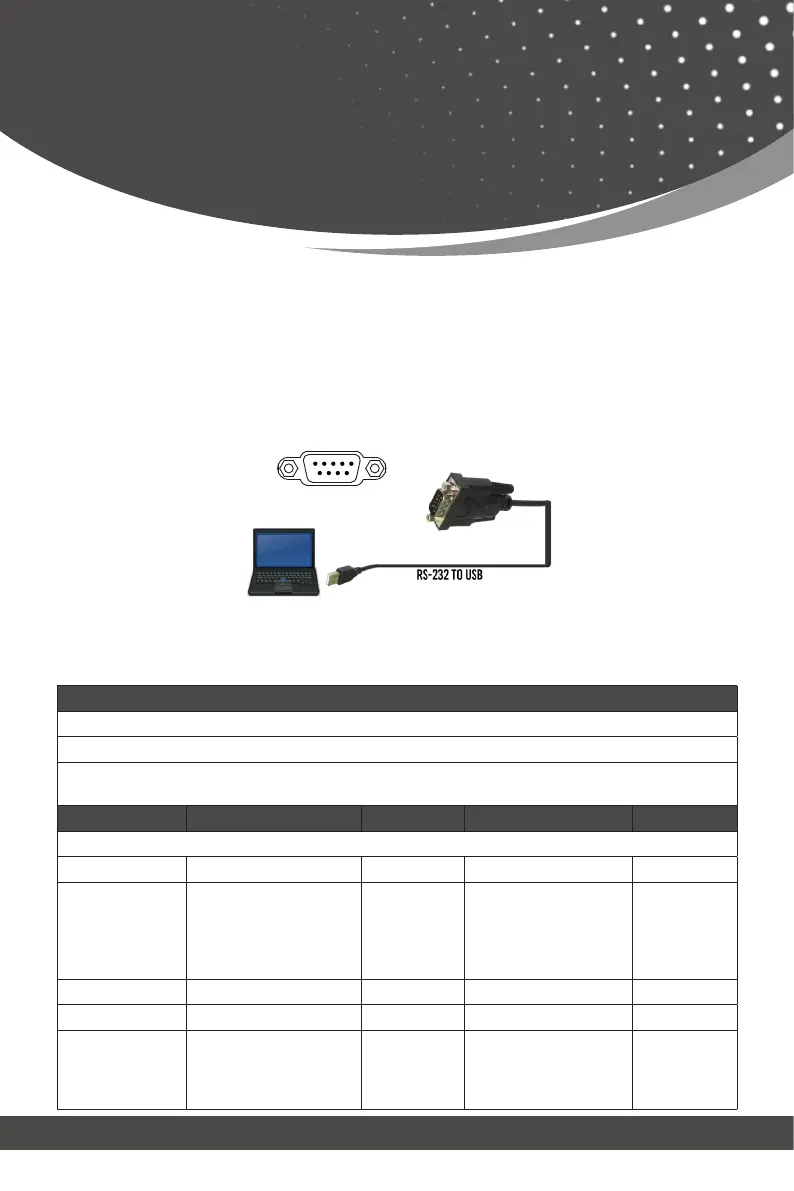
The product also supports RS-232 control. You need a serial cable with RS-
232 male head and DB9 transfer USB male head. The RS-232 head of the
serial cable is connected to the RS-232 control port with DB9 at the rear of
the Matrix, and the USB head of the serial cable is connected to a PC. The
connection method is as follows:
Then open a Serial Command tool on PC to send ASCII commands to control
the device. The ASCII command list of the product is as below.
RS-232
↑
RS-232
Control Command
ASCII Commands
Serial port protocol. Baud rate: 115200, Data bits: 8bit, Stop bits:1, Check bit: 0
TCP/IP protocol port: 8000 Telnet port: 23
x,y,z, XXX are parameters Error Code describe:
E00 -> unknown command, E01 -> parameter out of range, E02 -> get the error edid data
Command Code Function Description Example Feedback Default
System Setting
help! List all commands help!
status!
Get device current
status
status!
Get the unit all status:
power, beep, lock, in/
out connection, video/
audio crosspoint, edid,
network status
r type! Get device model r type! 4x4 HDMI2.1 Matrix
r fw version! Get Firmware version r fw version! MCU FW version x.xx.xx
power z!
Power on/off the device,
z=0~1 (z=0 power off,
z=1 power on)
power 1!
power on
System Initializing...
Initialization Finished!
MCU FW version x.xx.xx



 To Next Page