EN
21
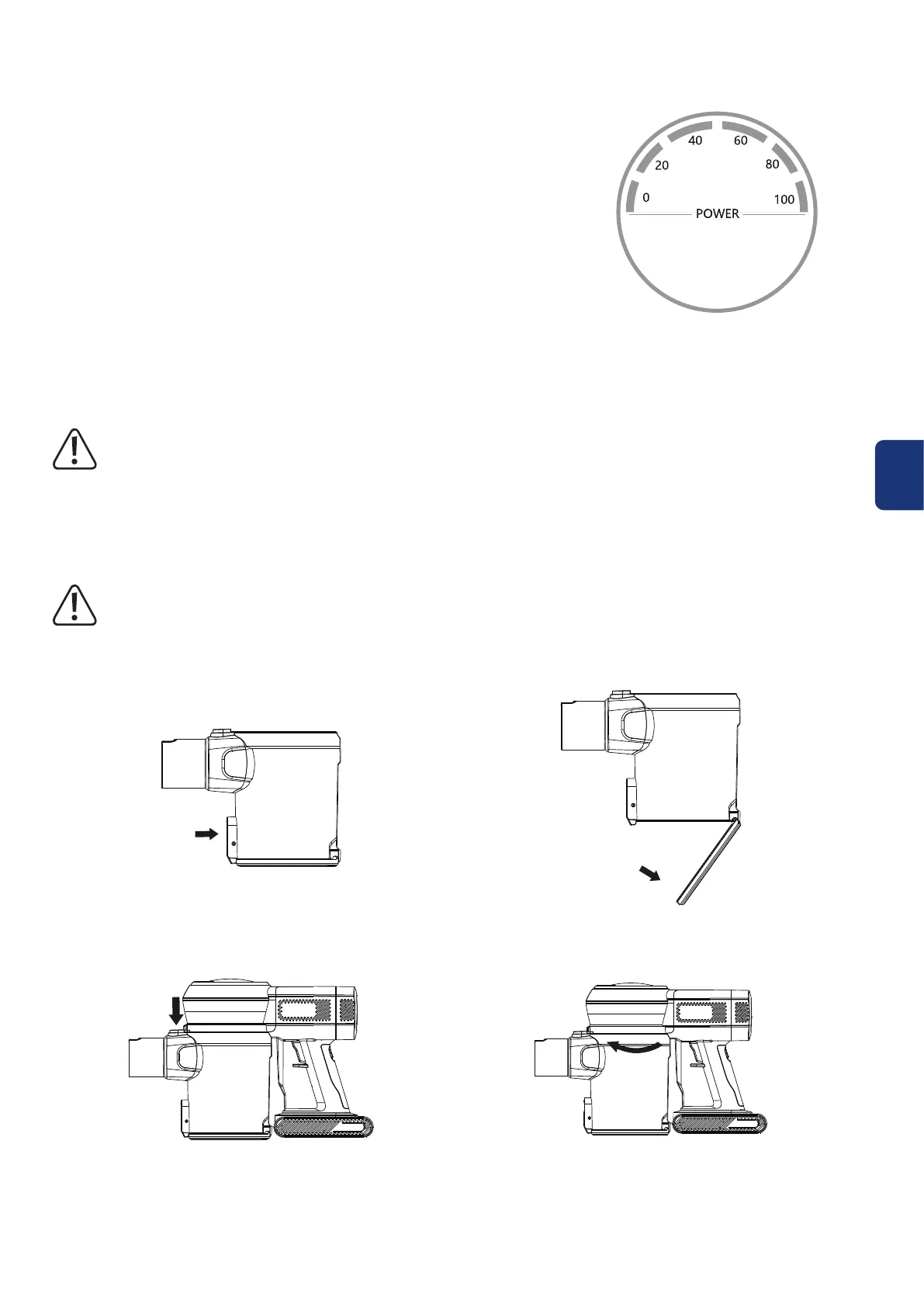
Power level indicator
In use:
Indicatorshutsoafterblinking:batteryhasbeenusedup
During charging:
Indicator blinking: charging
Indicator constant on: fully charged
7. Care and cleaning
Beforecleaningtheproduct,turnopowerandremovethebatterypack.
Never use aggressive detergents, rubbing alcohol or other chemical solutions, as these
may damage the casing or cause the product to malfunction.
Use a dry, lint-free cloth to clean the product.
a) Empty the dustbin
Toemptydustbin,rstturnopoweranddisconnectallaccessories.
• Hold the handheld vacuum over a trash bin, and press the dust empty release button (19). If
necessary, tap the dustbin on the side to remove excess dust.
• The dustbin can also be removed to clean. To remove, press the dustbin release button (3) and
pull out the dustbin from the handheld vacuum.


 To Next Page