15
Lullabies
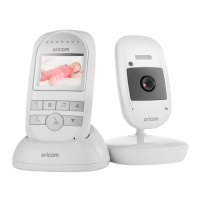
Press MENU button:
1) Select the Lullabies icon. Press “OK” button to conrm
the selection.
2) Choose the lullaby to play from the lullabies list.
Your monitor will automatically replay the chosen
lullaby.
3) Note: Select all to play all the lullabies. Select the
VOL icon to adjust lullaby volume.
menU oPtIonS
and fUnCtIonS
menU oPtIonS
and fUnCtIonS
OR017650 - SC740 User Guide_05-10-19.indd 15 2019/5/10 13:05:38



 To Next Page