EasyManua.ls Logo

Oricom OBH930 - User Manual

Oricom OBH930
34 pages
Print Icon
To Next Page IconTo Next Page
Loading...
USER’S GUIDE
Model: OBH930
The features described in this user’s guide are subject to modifications without prior notice.
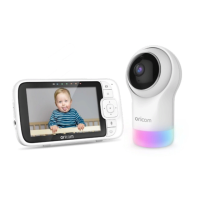
5" Smart HD Baby Monitor with Night Light

Other manuals for Oricom OBH930

Question and Answer IconNeed help?

Do you have a question about the Oricom OBH930 and is the answer not in the manual?

Summary

Parent Unit Component Overview

Baby Unit Component Overview

Installation and Placement Guidelines

Essential advice for optimal positioning and ensuring clear signal strength.

Safety Instructions and Warnings

Strangulation Hazard Warning

Alerts users to the critical danger of cord strangulation for children.

Getting Started with Your Baby Monitor

Connecting Power to Units

Steps to connect power adapters to both the Baby and Parent Units.

Device Pairing and Registration

Guide to pairing the Baby Unit with the Parent Unit for connection.

Using Your Oricom Baby Monitor

Setup, Night Vision, and Pan;Tilt

Positioning the Baby Unit, using night vision, and adjusting camera angle.

Parent Unit Menu and Settings

Wi-Fi Internet Viewing Setup

User Account and App Installation

Steps for creating a user account and installing the companion mobile application.

Wi-Fi Network Connection and Camera Pairing

Connecting to your Wi-Fi network and pairing the camera using QR codes.

Cleaning and Maintenance

Help and Troubleshooting Guide

General Product Information

How to Make a Warranty Claim

Step-by-step guide for submitting a warranty claim in Australia.

Technical Specifications

Summary

Parent Unit Component Overview

Baby Unit Component Overview

Installation and Placement Guidelines

Essential advice for optimal positioning and ensuring clear signal strength.

Safety Instructions and Warnings

Strangulation Hazard Warning

Alerts users to the critical danger of cord strangulation for children.

Getting Started with Your Baby Monitor

Connecting Power to Units

Steps to connect power adapters to both the Baby and Parent Units.

Device Pairing and Registration

Guide to pairing the Baby Unit with the Parent Unit for connection.

Using Your Oricom Baby Monitor

Setup, Night Vision, and Pan;Tilt

Positioning the Baby Unit, using night vision, and adjusting camera angle.

Parent Unit Menu and Settings

Wi-Fi Internet Viewing Setup

User Account and App Installation

Steps for creating a user account and installing the companion mobile application.

Wi-Fi Network Connection and Camera Pairing

Connecting to your Wi-Fi network and pairing the camera using QR codes.

Cleaning and Maintenance

Help and Troubleshooting Guide

General Product Information

How to Make a Warranty Claim

Step-by-step guide for submitting a warranty claim in Australia.

Technical Specifications

Oricom OBH930 Specifications

General IconGeneral
BrandOricom
ModelOBH930
CategoryBaby Monitor
LanguageEnglish

Related product manuals