23
Wi-Fi® Internet Viewing
English
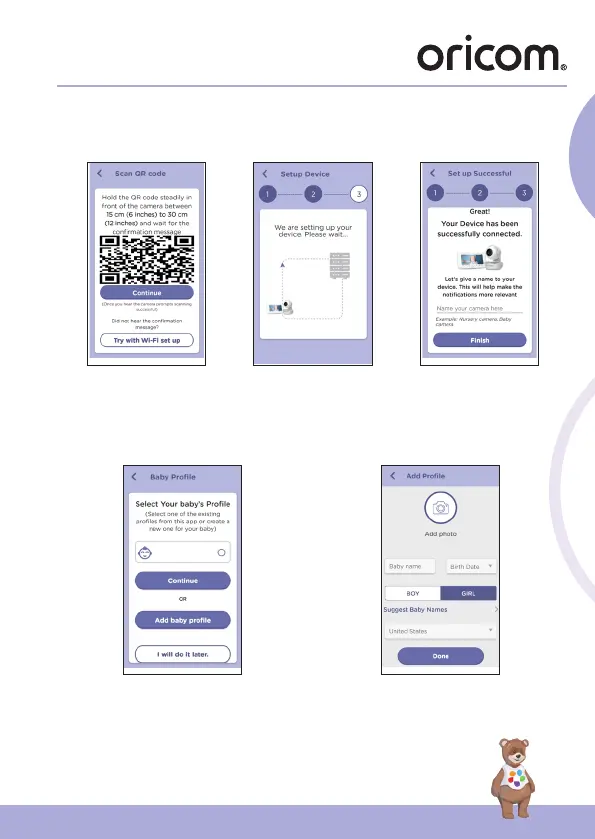
• Tap Generate QR code on your device and hold the QR code 6 to 12 inches
in front of Camera to get scanned till you will hear confirmation message “
Scanning Sucess” from your device. (fig.10, fig.11)
g.9 g.10 g.11
• It will take a few minutes for the Camera to connect to the Wi-Fi®
network before showing the connection status (fig.12).
• The Camera has been successfully connected, name your Camera
(fig.13).
g.12 g.13
• If connection fails, please tap Retry and repeat the steps starting from
5.4.4.


 To Next Page