EasyManua.ls Logo

Oricom Secure740 - User Manual

Oricom Secure740
40 pages
To Next Page IconTo Next Page
Loading...
User Guide
KEEP THIS USER GUIDE FOR FUTURE REFERENCE
Always retain your proof of purchase in case of warranty service.
AUSTRALIA: www.oricom.com.au
NEW ZEALAND: www.oricom.co.nz
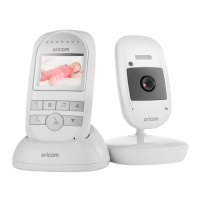
Video Baby Monitor
Secure740
OR017650 - SC740 User Guide_05-10-19.indd 1 2019/5/10 13:05:36

Questions and Answers

Oricom Secure740 Specifications

General IconGeneral
WirelessYes
Talk Back to BabyYes
Two-way CommunicationYes
Temperature SensorYes
Lullaby PlayerYes
Night VisionYes
Night LightYes
Power Source (Parent Unit)Rechargeable battery
TypeVideo
Range300 meters (open space)
Battery LifeUp to 8 hours
Sound ActivationYes
Power Source (Child Unit)AC adapter

Summary

Safety Information

General Safety Precautions

Key safety guidelines for using the Oricom video baby monitor, covering general usage and handling.

Battery Safety Guidelines

Important precautions regarding rechargeable batteries, including handling, charging, and disposal.

Product Component Overview

Parent Unit Identification

Locates and identifies all buttons, ports, and features on the Oricom parent unit.

Camera Unit Identification

Locates and identifies all ports and buttons on the Oricom camera unit.

Setting Up Your Video Baby Monitor

Power Adaptor Setup and Markings

Guidance on identifying and connecting the correct power adaptors for both units.

Baby Unit Connection and Positioning

Steps to connect the baby unit's power and optimally position it for monitoring.

Parent Unit Charging and Power On

Instructions for initial charging, connecting the power adaptor, and turning on the parent unit.

Battery Life and Spare Parts

Information on battery performance, expected lifespan, and how to purchase replacement parts.

Basic Key Operations

Parent Unit Controls

Explanation of the functions for each button on the parent unit.

Baby Unit Controls

Explanation of the ON/OFF switch and PAIR button on the baby unit.

Menu Options and Functions

Camera Pairing and Management

Guide to adding, deleting, and pairing additional cameras to the monitor.

Multi-Camera Viewing Options

How to view multiple connected cameras or scan between them.

Lullaby Playback and Volume

Instructions for selecting, playing, and adjusting the volume of built-in lullabies.

Feeding Timer Configuration

Setting up timed feeding reminders and understanding the alarm notification.

VOX Mode Settings

How to activate and configure the VOX feature for sound-activated monitoring.

System Settings and Customization

Display and Language Settings

Customizing display brightness and selecting the user interface language.

Time, Temperature, and Alarm Settings

Setting the date, time, temperature units, and configuring temperature alerts.

Operational Feature Settings

Configuring device frequency and enabling motion detection alerts for monitoring.

System Management Settings

Managing power saving modes and restoring the monitor to factory default settings.

Troubleshooting Common Issues

Equipment Not Functioning

Basic checks for power and connection issues when the monitor is not working.

Link Loss and Reception Interference

Resolving problems with lost links between units and signal interference.

Video and Audio Quality Problems

Solutions for issues like noise, poor picture, no sound, or incorrect display.

Battery Charging and Beeping Alerts

Troubleshooting battery charging errors and parent unit beeping notifications.

Express Warranty Information

Making a Warranty Claim

Steps and requirements for submitting a warranty claim for the Oricom product.

Warranty Exclusions and Repair Process

Details on what is not covered by warranty and important information about product repairs.

Related product manuals