22
Wi-Fi® Internet Viewing
• To select your device for setting up by tapping Baby Monitoring (fig.5).
• Tap OBH930 to add the new camera (fig.6) .
g.5 g.6
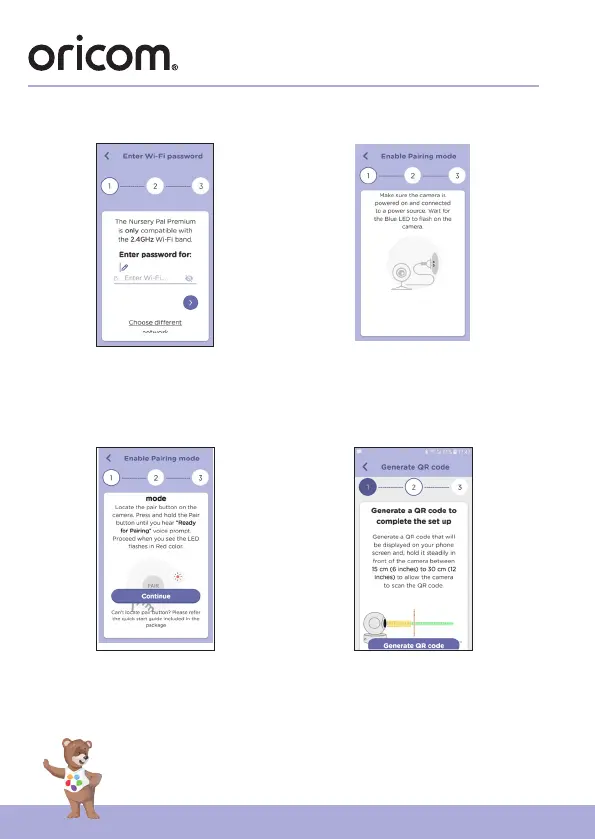
• The following setup instructions will appear on the screen, select your Wi-Fi
network and enter “Password” (fig.7).
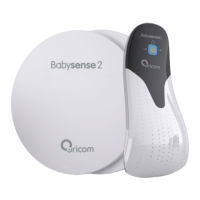
• Power on your camera and wait for the Red LED flashing on the camera.
(fig.8)
g.7 g.8
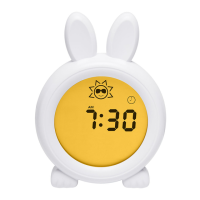
• Press and hold the PAIR button on the bottom of the Camera, you will hear
a voice prompt “Ready for Pairing” then tap Continue. (fig.9)


 To Next Page