Touch Keypad Emergency Keys
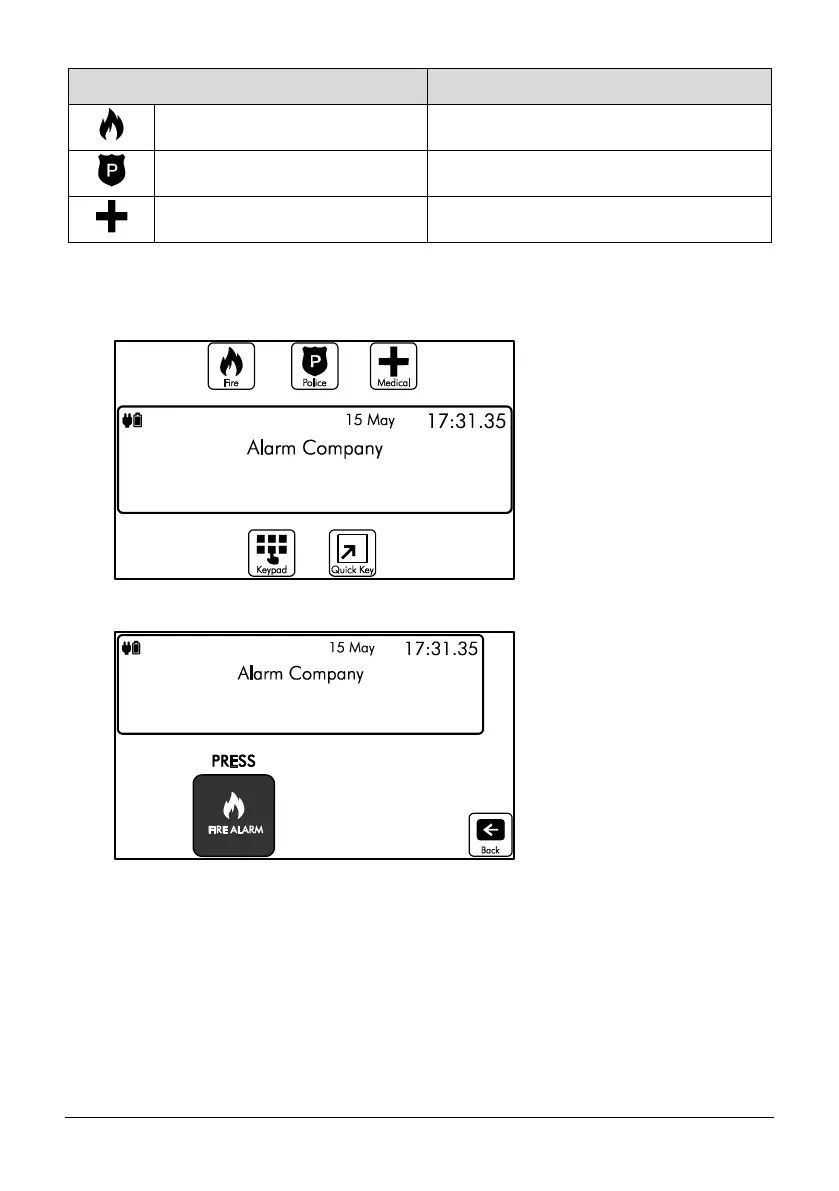
1. To activate the emergency keys on your touch screen keypad you will need to be on the
Home screen:
2. From the top part of the screen select one of the emergency functions, for example ‘Fire’:
3. You will then be prompted to press the Fire Alarm icon, and then select the icon again
to confirm the activation. This is in place to ensure it is a confirmed event and not an
accidental button press:


 To Next Page