36
View Inactive Zones
This menu allows zones that have been inactive for a period to be viewed.
1. Ensure that the ‘View inactive zones’ menu is selected, see page 33:
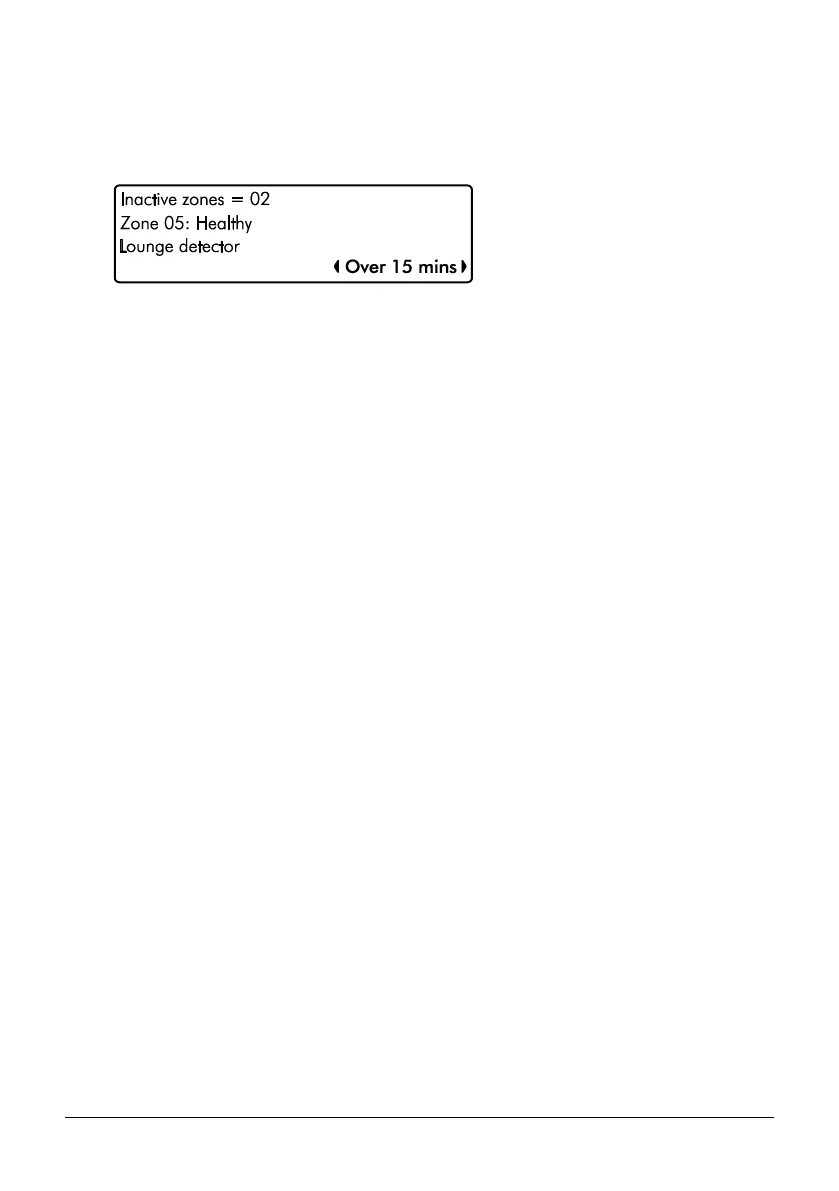
View Inactive Zones Screen Information
Line 1: How many zones have been inactive for the selected period.
Line 2: A scrolling list of inactive zones and the current zone status.
Line 3: A scrolling list of inactive zones and the zone text (name).
Line 4: The selected inactive period, use the L and R to change. The options
available are as follows:
• Over 15 minutes
• Over 30 minutes
• Over 1 Hour
• Over 12 hours
• Over 1 day
• Over 1 week
• Over 1 month
2. Press the B key to exit the menu.


 To Next Page