SWR • SWC • SWD OPERATOR INSTALLATION GUIDE
- 8 -
TORQUE LIMITER ADJUSTMENT
This operator may be supplied with an optional torque limiter.
Before adjusting the torque limiter, make sure the gate is in
good working condition. One person should be able to move
the gate by hand. Be certain the gate moves freely and without
binding throughout its travel. Torque limiters are set light at the
factory. They must be adjusted during installation, preferably
after limit cams have been manually set (see page 9). Adjust
the torque limiter tight enough to keep it from slipping during
normal operation.
To adjust the torque limiter in models SWR and SWD:
1. Bend the locking tabs away from the adjustment nut.
2. To increase the output, turn the adustment nut clockwise
one flat, or 1/6 turn, at a time until desired output is ob-
tained.
To reduce the output, turn the adjustment nut counterclock-
wise one flat, or 1/6 turn, at a time until desired output is
obtained.
3. Bend the lockng tabs up to lock the adjustment nut in place.
LOCKING TAB
ADJUSTMENT NUT
VENT PLUG INSTALLATION
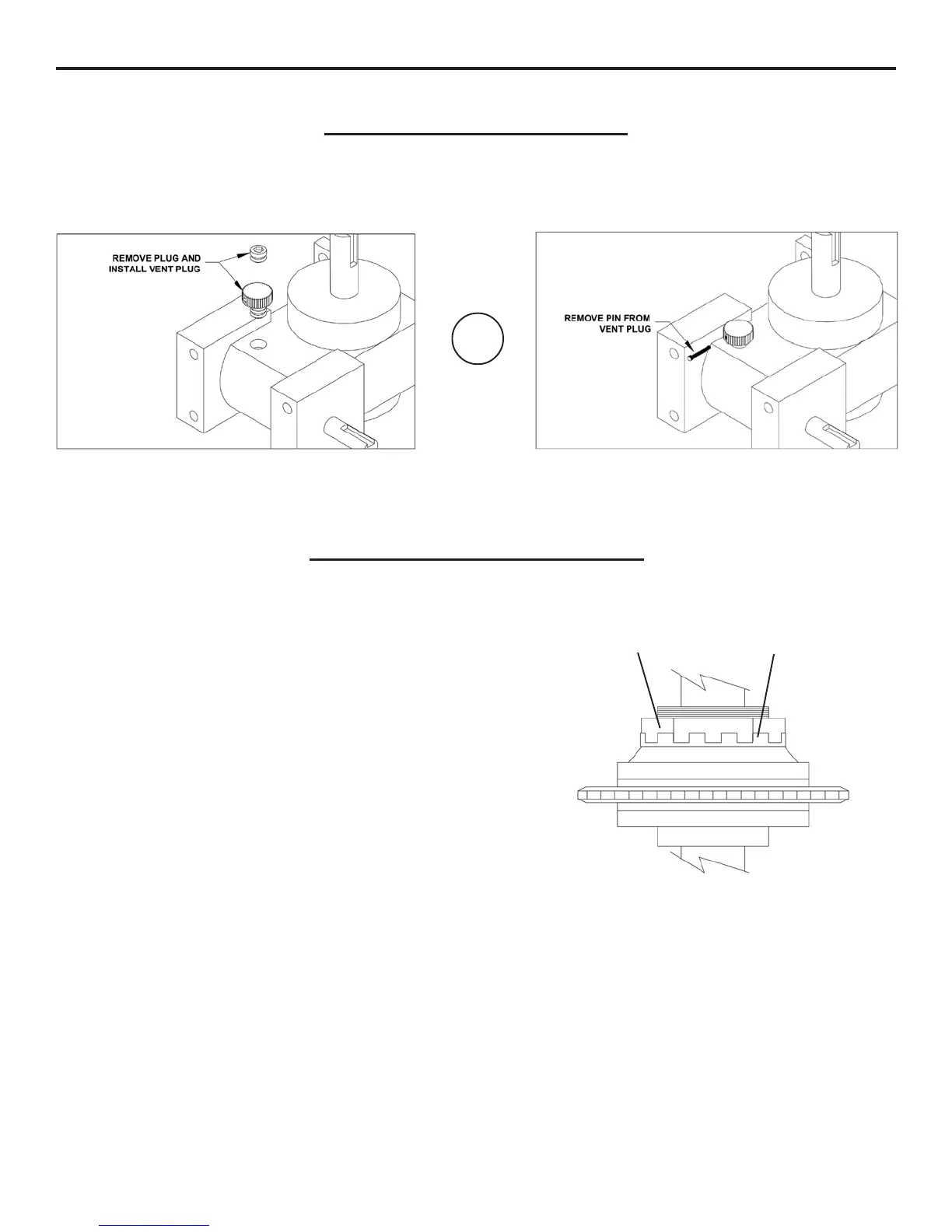
Gear reducers used in OSCO gate operators will have solid plugs installed prior to shipment in order to keep the oil inside from
spilling out during shipping. A vent plug has been provided to replace this plug during installation. This plug will look similar to the
ones shown below. Some models may have a vent plug with a breather pin. This pin should be removed after installing the
operator.
OR



 To Next Page