8
Operation
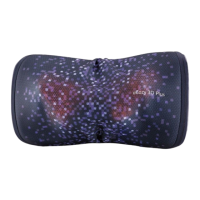
• Press the [ ] button to turn on the uCozy 3D Plus and white LED indicator
will light up with 1 “Beep” .
• Heat function is automatically activated when uCozy 3D Plus is turned on
and the lights at the kneading nodes will be illuminated.
• Press the [
] button with 1 “beep” sound to turn on/off heat function.
• Press and hold the [
] button around 1.5 seconds to turn off the uCozy
3D Plus.
Turning the power on/off
• Product must be fully charged for the first time (approximately 4 hours)
prior to using it.
• LED indictor will blink while it is charging. Each full charge is approximately
4 hours. After charging, LED light will be turned off.
• Each full charge allows for about 60 min of usage on average (Usage time
varies based on the function selected).
• Product can only be charged when it is turned off.
• The red LED indicator will light up when battery level is low.
Use without power adapter


 To Next Page